Getting Started
What Pista replaces
See how Pista consolidates your shop management system, parts portals, payment terminal, and messaging tools into one platform.
Most shops run on a pile of disconnected tools: one system for repair orders, a separate browser tab for parts, a card terminal on the counter, a phone for customer texts, and a spreadsheet to make sense of it all. Pista pulls every one of those jobs into a single platform so nothing falls through the cracks between them.
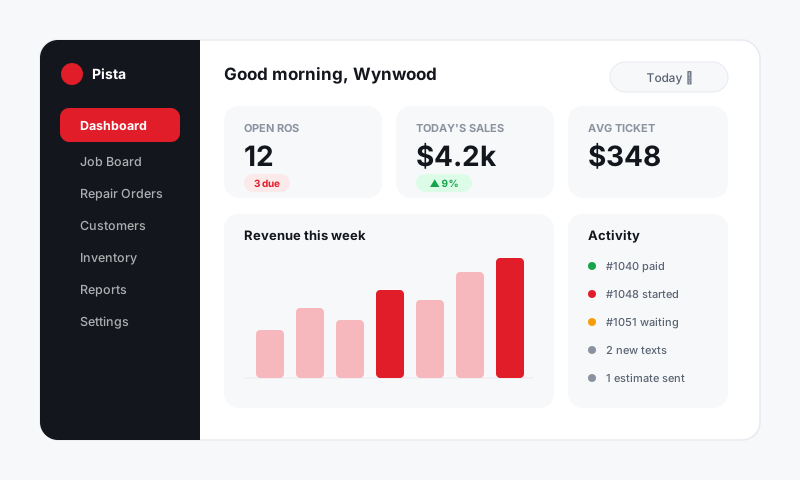
This article is the honest answer to the question owners ask first: if I switch to Pista, what can I cancel?
The shop management system
Pista is your system of record. Repair orders, estimates, the job board, customer and vehicle history, and reports all live here. If you are coming from Tekmetric, Shop-Ware, Mitchell 1, or a paper hat-rack, this is the seat Pista takes.
The parts portals
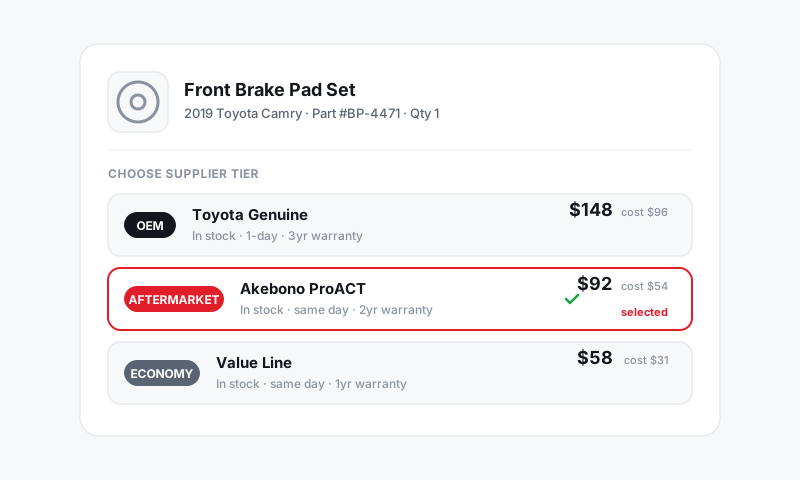
Instead of bouncing between supplier websites to price a part, Pista searches your connected suppliers from inside the repair order, shows you OEM, aftermarket, and budget options side by side, and lets you order without leaving the job. See Parts and Suppliers.
The labor guide
Guesswork on labor times costs you real money. Pista pulls labor times and OEM procedures from MOTOR data, the same industry-standard source the big estimating tools license, so your hours hold up when a customer questions them. See Labor and MOTOR Data.
The payment terminal
Pista takes card, Apple Pay, and pay-over-time options like Affirm, Klarna, and Sunbit, then reconciles deposits for you. The standalone terminal on your counter becomes optional. See Payments.
The texting app and email
Customer conversations land in one shared Inbox instead of a personal cell phone and a separate email account. Estimates and approvals are sent and tracked in the same thread. See Messaging and Inbox.
The service writer's busywork
Moto AI drafts jobs from a customer concern, writes inspection findings in plain language, and suggests the parts and labor a job needs. It replaces the slowest part of the front counter: typing. See Moto AI Service Writer.
What you keep
Pista plays well with the tools you are not ready to give up:
- Accounting stays in QuickBooks; Pista syncs to it rather than replacing it.
- Your suppliers stay your suppliers; Pista just makes them searchable in one place.
- Your phone numbers can port in so customers reach you the same way.
Good to know: You do not have to cut over everything on day one. Most shops start writing repair orders in Pista immediately, then retire the parts tabs, terminal, and texting app over the first couple of weeks as they get comfortable.
When you are ready to start, head to Set up your shop in 5 steps.
Still have a question about what pista replaces?
Contact support