Getting Started
Set up your shop in 5 steps
Go from a fresh account to writing your first repair order in about fifteen minutes.
This guide walks you through the five things every shop should set up before writing real repair orders. Budget about fifteen minutes. You can change any of these later in Settings.
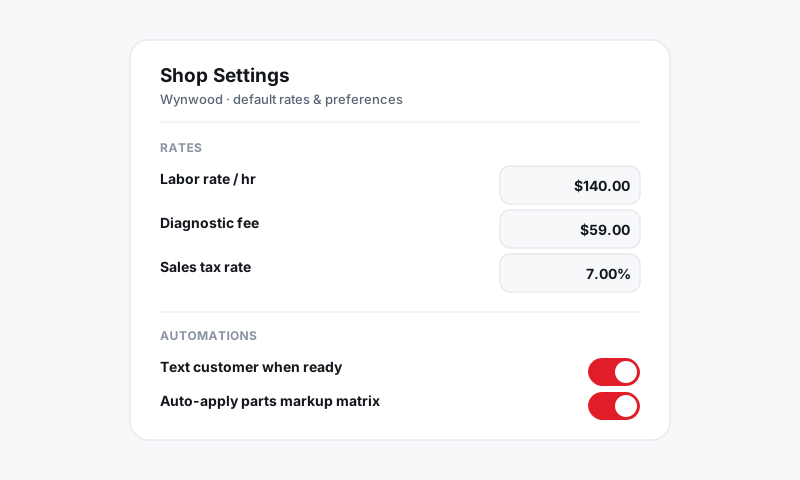
Step 1: Create your store
Your store is the physical location customers visit. During onboarding you will be asked for:
- Shop name and logo
- Address and phone number
- Business hours
- Time zone
If you run more than one location, add each as a separate store. Repair orders, inventory, and reports are tracked per store. See Shop Settings for managing multiple stores.
Step 2: Set your labor rate
Your default labor rate is the dollar amount you charge per billable hour. Pista multiplies this rate by the labor time on each job.
- Go to Settings → Pricing.
- Enter your default labor rate.
- Optionally add tiered rates for diagnostic, electrical, or specialty work.
Labor times themselves come from MOTOR data, so your estimates stay accurate across makes and models. See Labor and MOTOR Data.
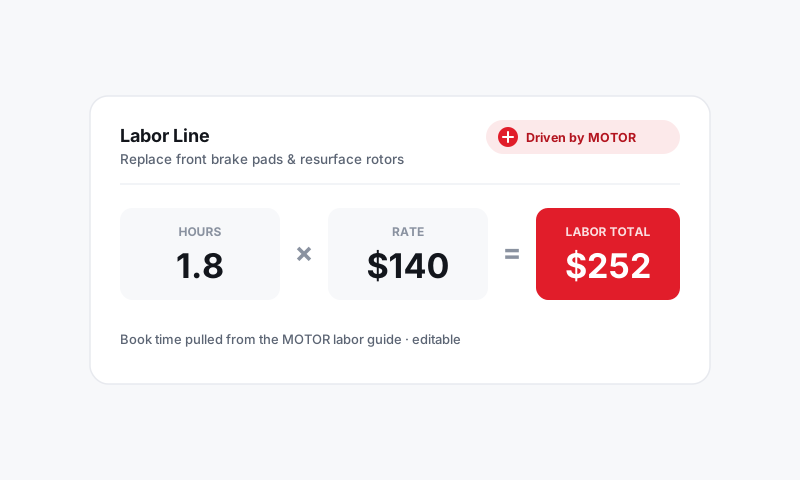
Step 3: Configure tax and fees
Sales tax and shop fees are set per store so your totals are correct from the first invoice.
- Go to Settings → Tax and Fees.
- Choose your state so Pista applies the right tax rules.
- Add any shop supply or disposal fees you charge.
Pista ships with state-by-state tax rules, including which line items are taxable. Full detail is in Tax and Shop Fees.
Step 4: Connect parts suppliers
Connecting suppliers lets you search live parts pricing and order from inside a repair order.
- Go to Settings → Integrations → Parts.
- Select your suppliers and enter your account credentials.
- Set a default parts markup under Settings → Pricing.
No supplier account yet? You can still add parts manually and connect suppliers later. See Parts and Suppliers.
Step 5: Invite your team
Bring your service writers and technicians into Pista so work can be assigned.
- Go to Settings → Team.
- Click Invite member and enter their email.
- Pick a role:
| Role | Can do |
|---|---|
| Owner | Everything, including billing |
| Service Writer | Write ROs, send estimates, take payments |
| Technician | View assigned jobs, run inspections, log time |
Each person gets an email invite to set their own password.
You are ready
That is it. Head to the Job Board and click New Repair Order to write your first one. From there explore Repair Orders, Digital Inspections, and Messaging and Inbox as you go.
Still have a question about set up your shop in 5 steps?
Contact support