Getting Started
Importing your customers and history
Bring your existing customers, vehicles, and service history into Pista so you start day one with a full database instead of a blank slate.
Switching shop management systems is far less scary when your customer list comes with you. Pista can import the customers, vehicles, and service history you have built up over the years, so the first car that rolls in is already in the system with its full record. This article shows you how, and how to keep the data clean.
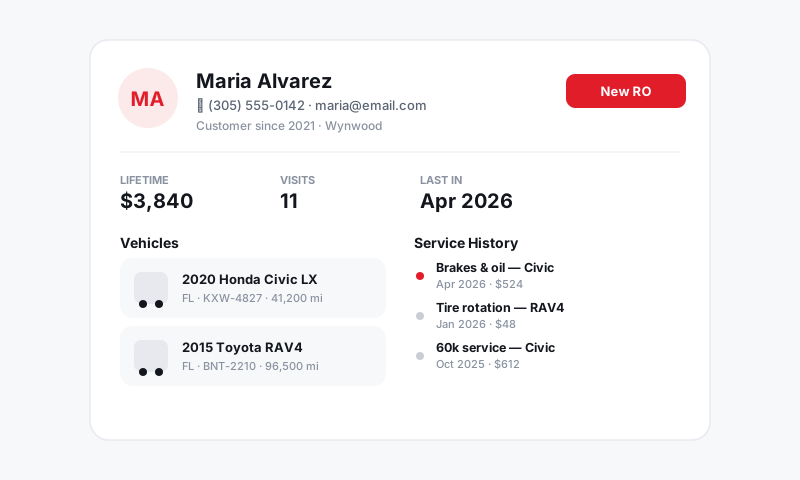
What you can import
- Customers — names, phone numbers, emails, and addresses.
- Vehicles — year, make, model, VIN, plate, and which customer they belong to.
- Service history — past repair orders so techs and writers can see what was done before.
If you are coming from Tekmetric, Shop-Ware, Mitchell 1, or a spreadsheet, exporting these as CSV files is usually a few clicks in your old system.
Prepare your files
A clean import beats a fast one. Before you upload:
- Export each list as a separate CSV (customers, vehicles, history).
- Make sure every vehicle row has a way to tie it to a customer, such as the customer's phone or email.
- Remove obvious duplicates and dead phone numbers if you can. Clean data in means a clean database out.
Tip: Phone number is the strongest link between records. If your export has it, Pista uses it to match vehicles to the right owner and to merge duplicate customers automatically.
Run the import
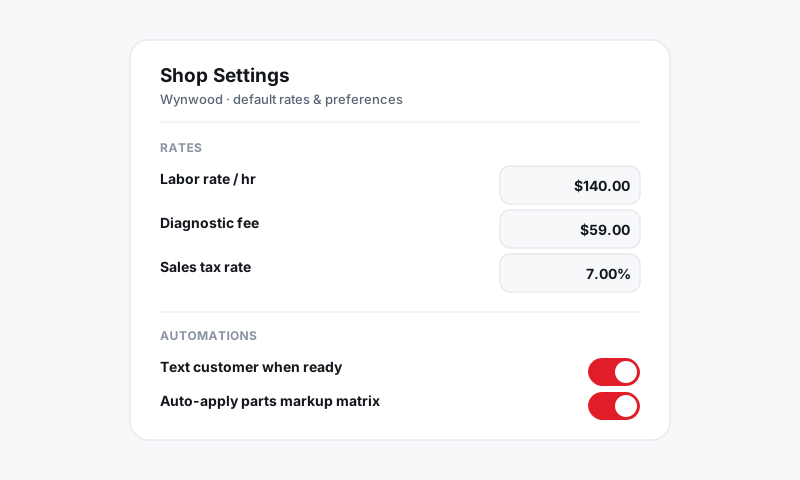
- Go to Settings → Data Import.
- Choose the type of file you are uploading and select your CSV.
- Map the columns: match each column in your file to the matching Pista field. Pista guesses common ones for you.
- Review the preview of the first rows to confirm the mapping looks right.
- Click Import. Larger files process in the background, and you get a summary when it finishes.
Check the results
- Open Customers and spot-check a few records you know well.
- Confirm vehicles are attached to the right owners.
- If something mapped wrong, you can re-run the import with corrected columns; Pista matches on phone and VIN so it updates existing records instead of duplicating them.
Good to know: Not sure your old system can export cleanly? Use Contact support in the header before you start. Our team has handled migrations from the major platforms and can help you get the columns lined up so you import once and get it right.
With your data in, you are ready to write real work. Continue to Creating your first repair order.
Still have a question about importing your customers and history?
Contact support