Vehicles, VIN and Recalls
Decoding a VIN
Scan or type a 17-character VIN to auto-fill year, make, model, engine, and trim so every labor time and part fits the exact vehicle on the lift.
Decoding a VIN
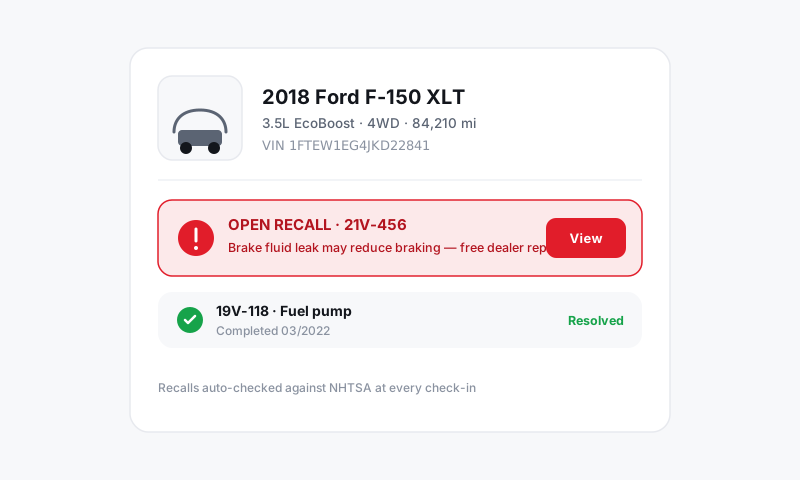
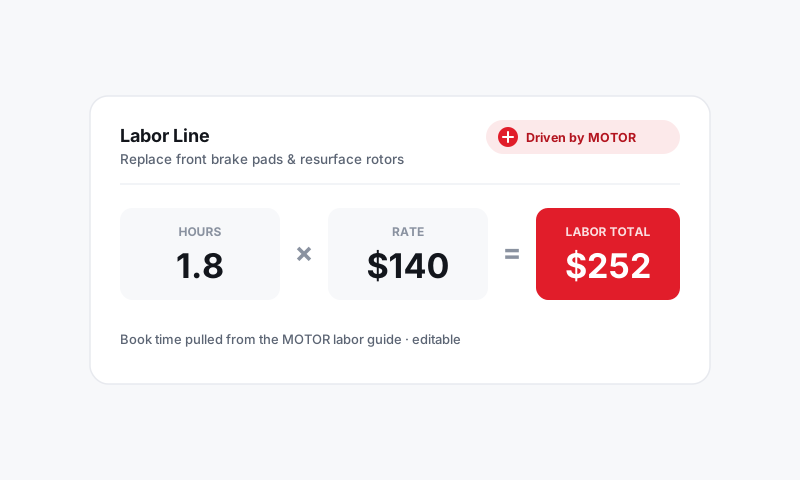
The VIN is the single most important thing you enter on a ticket. Get it right and everything downstream falls into place: MOTOR labor times match the real engine, parts fitment is correct, recalls surface automatically, and the repair history ties to the right car. Pista decodes the full 17-character VIN the moment you give it one, so a tech is never guessing whether that 5.3L is the LH8 or the L83.
Where to find the VIN
Three reliable spots, in order of how cleanly they scan:
- Driver door jamb sticker — flat, matte, and easy on the camera. Usually the best scan.
- Lower driver-side windshield — visible from outside, but glare can fight you.
- Registration or insurance card — handy when the car is buttoned up or the plate is the only thing you have.
Decode a VIN in Pista
- On a repair order, open the Vehicle section and tap Scan VIN, or paste a VIN into the VIN field.
- To scan, point your phone or tablet camera at the VIN. Pista reads all 17 characters and runs the decode.
- Review the decoded year, make, model, engine, trim, and drivetrain.
- Tap Use this vehicle to attach it to the RO.
That is it. The vehicle is now keyed for accurate labor and parts.
What the decode pulls in
A clean VIN decode does a lot more than fill a name field:
- The exact engine and drivetrain, so MOTOR labor times and repair procedures match the real configuration.
- Parts fitment, so supplier searches return the right components the first time.
- Any open safety recalls tied to the VIN. See Open safety recalls on a ticket.
- A link to this vehicle's service history, if it has visited your shop before.
Tips
- Confirm the engine, not just the model. Two identical-looking trucks can carry different engines, and the labor time can swing with it. Thirty seconds of confirmation saves a misquote.
- Read the I, O, and Q rule. A real VIN never contains the letters I, O, or Q. If a scan returns one of those, it misread a 1 or a 0 — re-scan or fix that character by hand.
- Short on a clean scan? Type the last 5 to 8 characters by hand to finish a partial read; the door-jamb sticker is your cleanest fallback.
Good to know
A handful of pre-1981 vehicles use shorter, non-standard VINs that won't decode the modern way. For those, enter the year, make, model, and engine manually and add a note on the vehicle so the next writer isn't surprised. See Editing vehicle details.
Still have a question about decoding a vin?
Contact support