Repair Orders
Voiding, reopening, and editing a closed RO
Correct a mistake on a paid or canceled repair order the right way, with an audit trail that keeps your books clean.
Sometimes a repair order needs to change after it is done: a customer canceled before any work started, a price was keyed wrong, or a refund is owed. Pista lets owners handle these cleanly without faking edits or deleting history. The rule of thumb: correct, do not erase.
Why closed ROs are locked
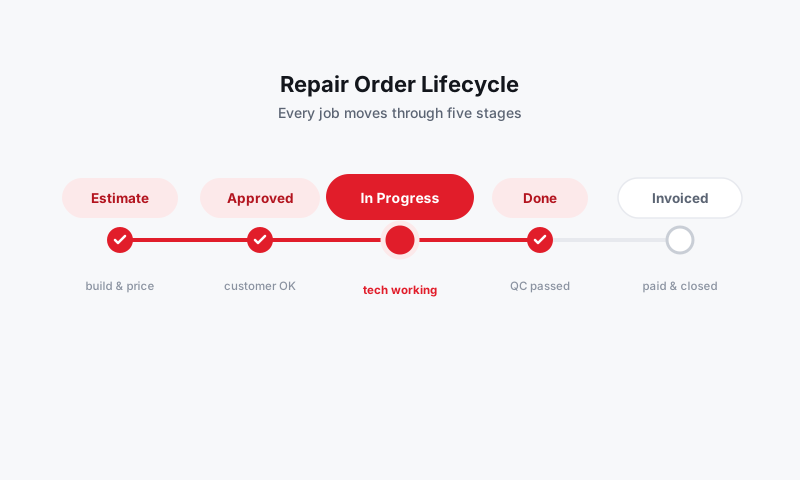
Once an RO is Picked Up and Paid, Pista locks it from casual edits. That lock is a feature. It means your sales reports, gross profit, and tax totals cannot quietly drift because someone tweaked an old ticket. To change a closed RO, you reopen it on purpose, and the action is recorded.
Good to know: Editing rights here are usually limited to the Owner role. Service writers can build and check out ROs, but reopening a paid ticket is an owner-level action by design. See your team setup in Shop Settings.
Reopen a closed RO
Use this when real work or pricing on a completed ticket needs to change.
- Open the RO from the customer's history or from search.
- Click the actions menu and choose Reopen.
- The RO moves back to an editable status so you can fix the line items.
- Make the correction, then check out again. See RO checkout and handing back the vehicle.
If money already changed hands, handle the difference as a refund or an additional payment rather than hiding it in an edit. See Payments.
Void or cancel an RO
Use this when a ticket should not have existed or the customer backed out before any work began.
- Open the RO and choose Void from the actions menu.
- Add a short reason, like "customer declined, no work performed."
- Confirm.
A voided RO is kept, not deleted. It stays searchable with its reason and drops out of your sales totals, so your numbers stay honest and you still have the record if anyone asks.
Tip: Void is for tickets with no work and no payment. If parts were already used or money was taken, reopen and correct instead, so the parts and the refund are accounted for properly.
Decide which action to use
| Situation | Do this |
|---|---|
| Customer canceled before any work | Void with a reason |
| Wrong price or part on a paid ticket | Reopen, correct, re-checkout |
| Refund owed | Reopen, then issue refund in Payments |
| Duplicate ticket created by mistake | Void the duplicate; keep the real one |
Keep the trail clean
- Always add a reason when you void or reopen. Future-you will thank present-you.
- Settle money through Payments, not by editing totals to "make it match."
- Reconcile big corrections at month-end so your Reports and accounting agree.
Still have a question about voiding, reopening, and editing a closed ro?
Contact support