Repair Orders
Creating a repair order
Open a new repair order, attach the customer and vehicle, and capture the concern so the job is ready to build.
A repair order (RO) is the home base for one job: the customer, the vehicle, the work, the parts, the labor, and the money. Everything you do for a visit lives on its RO. Here is how to start one from scratch.
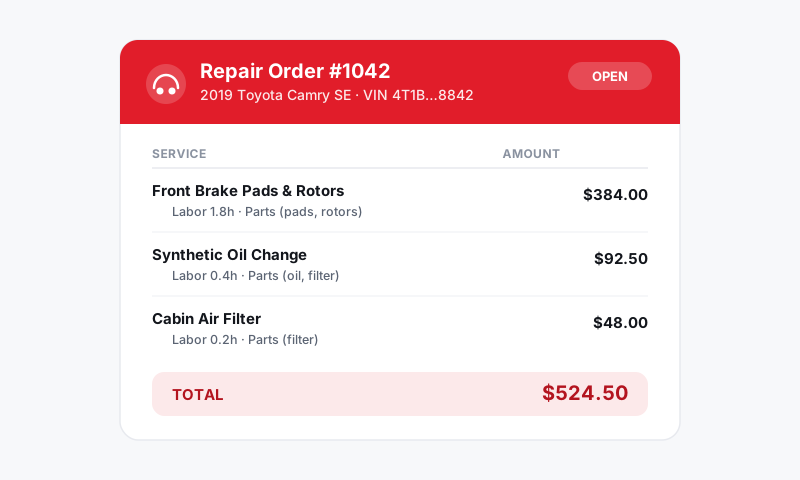
Open a new repair order
- From the Job Board, click New Repair Order in the top right.
- Pick a store if you run more than one location. The RO inherits that store's labor rate, tax rules, and fees.
- Pista assigns the next RO number automatically. You never have to track numbering by hand.
Attach the customer
You can pull up an existing customer or create one on the spot.
- Start typing a name, phone number, or email in the customer field.
- Pick the match from the dropdown, or click Add new customer if they have never been in.
- For a new customer, capture at minimum a name and a mobile number so you can text estimates and status updates later.
Good to know: A mobile number is what unlocks two-way texting, estimate approvals, and "your car is ready" messages. It is the single most valuable field on the customer.
Attach the vehicle
- Enter the VIN to decode year, make, model, and engine instantly, or
- Type the plate and let Pista look up the vehicle, or
- Select year / make / model manually if you have neither.
Decoding by VIN is the most accurate because it locks in the exact engine and trim, which is what drives correct MOTOR labor times and the right parts fitment down the line.
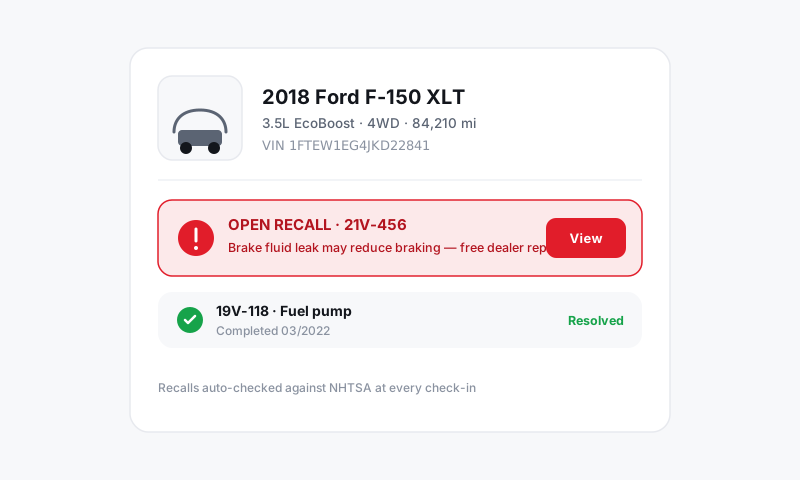
Capture the customer concern
Write down what the customer actually said, in their words. "Grinding noise when braking, worse on left turns" beats "brakes." This concern is what Moto AI reads when it drafts jobs, and it is what your tech sees first.
- Add one concern per symptom. Keep them separate so each can become its own job and its own approval line.
- Tap the microphone to dictate the concern if you are at the counter with a customer.
Save and start building
Click Create. Your RO opens to the build screen, where you add services, labor, and parts. From here you can:
- Add jobs and line items. See Adding services, labor, and parts.
- Set the promised time so the board and the customer both know when it will be done.
- Move the RO across the workflow as the job progresses. See RO statuses and the workflow pipeline.
Tip: In a hurry at drop-off? You do not need every detail to start. Scan a VIN, capture the concern, and build the rest once the keys are on the hook. See Quick RO: tag or VIN to ticket in seconds.
Still have a question about creating a repair order?
Contact support