Repair Orders
RO statuses and the workflow pipeline
Understand each repair order status and how moving cars across the pipeline keeps your bay flowing and nothing stalls.
Every repair order has a status that says where the job stands right now. Statuses are the columns on your Job Board, and moving an RO from one to the next is how the whole shop stays on the same page without anyone asking "what's happening with the Tahoe?"
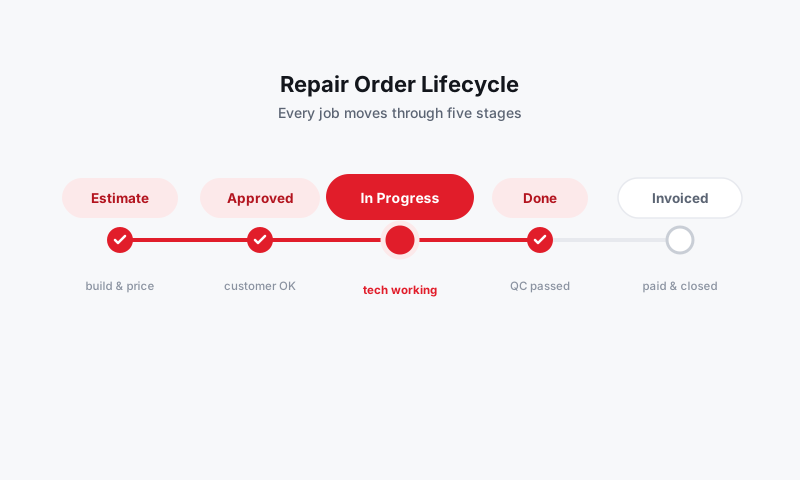
The default pipeline
Pista ships with a workflow that maps to how a real shop turns cars. Left to right:
| Status | What it means |
|---|---|
| Inspection | Vehicle is checked in; tech is diagnosing or inspecting |
| Estimate | Work is priced and waiting to be sent or approved |
| Approved | Customer authorized the work; it is ready to assign |
| In Progress | A tech is actively turning wrenches |
| Ready | Work is done and the car is ready for pickup |
| Picked Up | Customer paid and drove off; the job is closed |
Your shop can rename, add, or reorder these columns in Settings → Workflow, so the board matches your process instead of forcing you into someone else's.
Move an RO across the board
You can advance a job two ways:
- Drag the card from one column to the next on the Job Board.
- Open the RO and change the status dropdown at the top.
Either way, the move is instant and everyone on the board sees it.
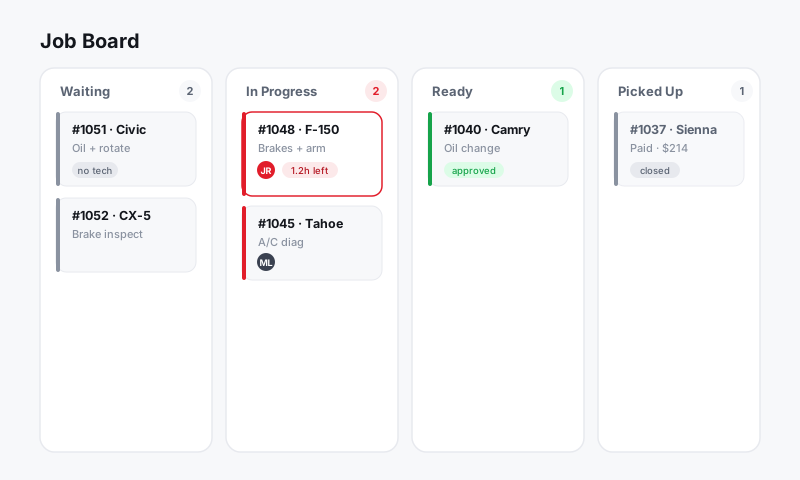
Statuses trigger the right actions
Moving a card is not just visual housekeeping. Status changes can fire the work that usually gets forgotten:
- Reaching Estimate prompts you to send the estimate for approval.
- Reaching Ready can text the customer that the car is done, with a tap.
- Reaching Picked Up prompts checkout and payment.
Good to know: Status and authorization are different things. A job can be on the Approved column while one line item is still pending the customer's yes. The board shows the RO's overall stage; the estimate tracks line-by-line approvals.
Keep the board honest
A board only helps if it reflects reality. A few habits that keep it trustworthy:
- Move the car when the work moves. A card sitting in In Progress with the keys on the rack tells the front counter the wrong story.
- Watch for stalls. Cards that sit too long in one column are your bottleneck. Sort or filter by time-in-status to find them.
- Use Ready as a promise, not a maybe. When a car hits Ready, it should be washed, paperwork done, and genuinely pickup-ready.
What's next
- Assign technicians and manage the bay in Job Board and Workflow.
- Close out a finished job in RO checkout and handing back the vehicle.
Still have a question about ro statuses and the workflow pipeline?
Contact support