Repair Orders
Setting the promised time
Set a realistic promised time on a repair order so the board, your team, and your customer all share the same deadline.
The promised time is when you have told the customer their car will be ready. It is one of the most important fields on a repair order: it sets the customer's expectation, it drives your daily schedule, and it is the number you will be judged on. Set it deliberately, not as an afterthought.
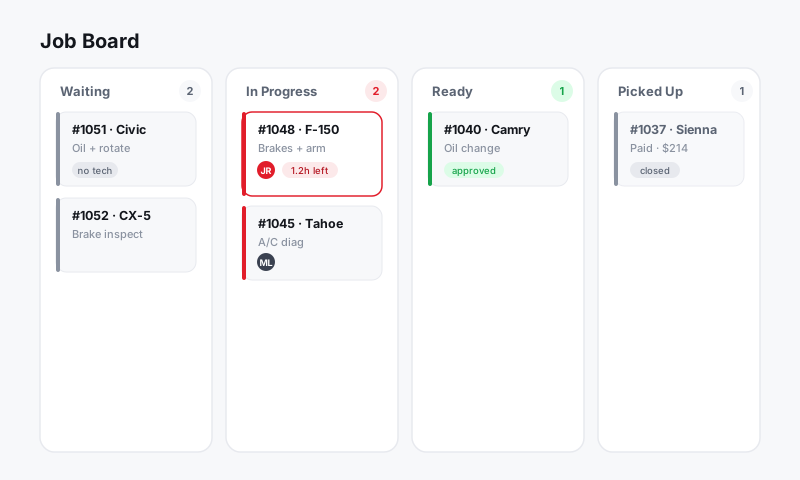
Set the promised time
- Open the RO and find the Promised field near the top, next to the vehicle.
- Pick a date and time.
- Save. The promised time now shows on the RO, on the Job Board card, and on customer-facing messages.
How to set a time you can actually hit
A promised time is a commitment, so build it from the work, not from optimism.
- Start from the labor hours already on the RO. The MOTOR times tell you how long the wrench work takes.
- Add parts lead time. If a part ships tomorrow, the car is not ready today, no matter how fast the tech is.
- Add a buffer for the bay queue and any pending customer approval. Work cannot start until it is authorized.
- Round to a time the customer will remember, like "by 3:00 PM" rather than "2:47."
Tip: When in doubt, promise a little later and deliver early. A car finished ahead of a promised 4:00 PM is a happy customer; the same car at 4:30 against a promised 3:00 PM is a complaint, even though it is the same work.
Keep the promise current
Plans change. A part backorders, a diagnosis grows, the customer adds a job. When the timeline moves, move the promised time with it and tell the customer.
- Update the Promised field on the RO.
- Send a quick text from the inbox so the change does not surprise them at pickup.
Good to know: Customers forgive a delay they hear about early far more than one they discover at the counter. Updating the promised time and sending a one-line text turns a potential blow-up into a non-event.
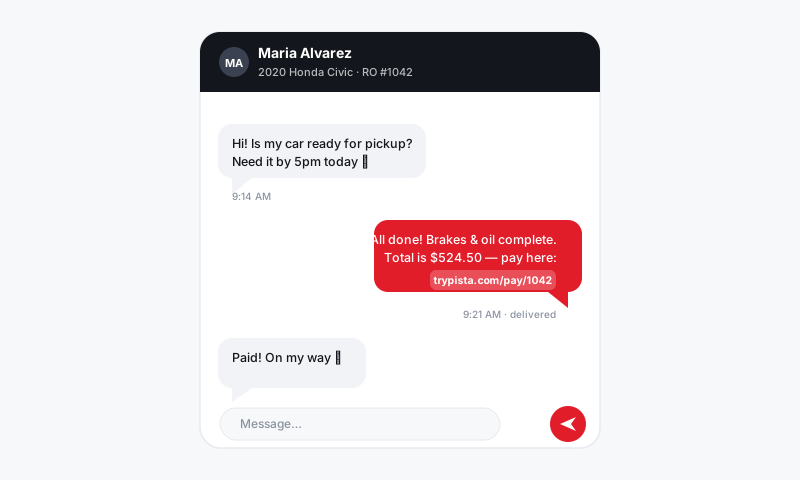
Why it shows up everywhere
The promised time is wired through Pista so the whole shop works off one deadline:
- It appears on the Job Board so the team can prioritize what is due soonest.
- It feeds customer messages so the "your car is ready" timing lines up.
- It powers reporting on whether you hit your promises, which is a quiet driver of repeat business.
When the car is actually done, move it to Ready and start checkout. See RO checkout and handing back the vehicle.
Still have a question about setting the promised time?
Contact support