Pricing and Markups
Setting your base labor rate
Set the door rate every labor job prices from in Pista, including separate rates by store, service type, or skill.
Before any matrix or markup does its work, every labor job needs a starting point: your base labor rate, the dollars-per-hour you charge at the door. It is the foundation under all your other pricing settings, and it deserves a real decision, not a number you copied from the shop next door. Here is how to set it in Pista and how to think about the number itself.
Set your base labor rate
- Go to Settings then Pricing and Markups and open Labor Rate.
- Enter your rate per hour (for example, $155).
- If you run more than one store, set the rate per store, because costs and local markets differ.
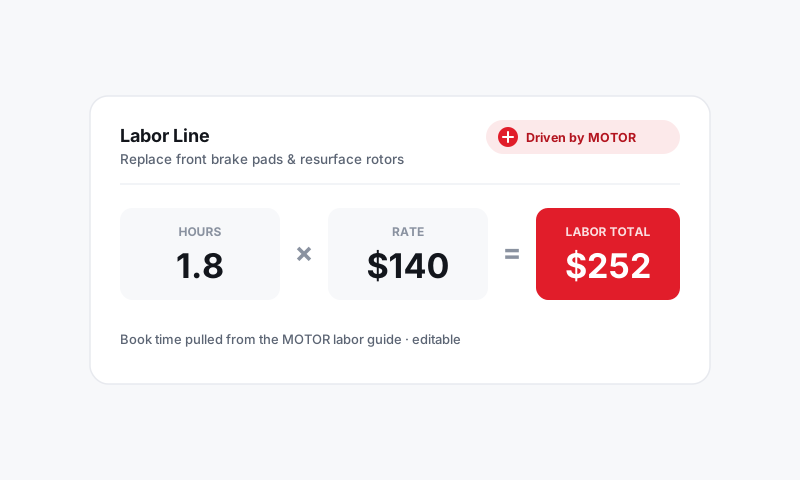
- Save. New labor jobs price at this rate times their hours.
Rates by service type or skill
One door rate is fine to start, but most shops earn more by charging what the work is worth:
- In Labor Rate settings, choose Add rate.
- Name it by category (for example, Diagnostics, Electrical, or Maintenance) or by skill level.
- Set its per-hour rate.
- Save. Jobs tagged to that category price at the matching rate.
Tip: Diagnostic and electrical work is where your most skilled time goes, so it should not bill at the same rate as an oil change. A higher diagnostic rate also signals value and discourages the "just tell me what's wrong for free" conversation.
How the rate flows into a job
- A job pulls its hours from MOTOR data.
- If you run a labor guide markup, the hours are adjusted first.
- Pista multiplies the hours by the matching rate, or runs them through your labor-by-hours matrix if you use one.
- The result is the labor charge on the line.
Choosing the number
Your rate has to cover tech pay, the building, equipment, insurance, and still leave profit. Two quick sanity checks:
- Cost-up: total your hourly shop costs, divide by billable hours, then add your target profit. That is the floor.
- Market: call a few comparable shops as a customer and ask their diag or hourly rate. Aim at or above the middle; the cheapest shop in town is rarely the most profitable.
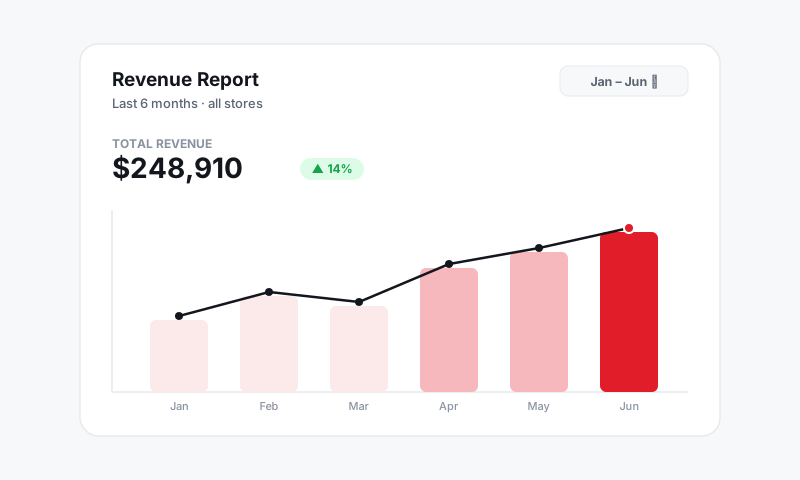
Good to know: Raising your rate is the fastest lever on gross profit, and customers feel it far less than you fear. A $10/hr increase on a 3-hour job is $30 on a several-hundred-dollar ticket. Review your rate at least once a year.
Good to know
- Rate changes apply to future jobs, not labor already on open or closed ROs.
- The base rate is a default; a writer can override the rate or hours on a single job when needed.
- Track whether your rate is holding up in your gross-profit numbers. See Reports.
Get the door rate right and every matrix on top of it is building on solid ground.
Still have a question about setting your base labor rate?
Contact support