Parts and Suppliers
Ordering parts from the RO
Turn approved parts into a purchase order and place the supplier order without ever leaving the repair order.
Once a customer approves the work, the parts on the RO are ready to buy. Pista lets you order them straight from the ticket, so the part you quoted is the part you order at the cost you saw. No re-keying part numbers into a supplier website, no transcription errors.
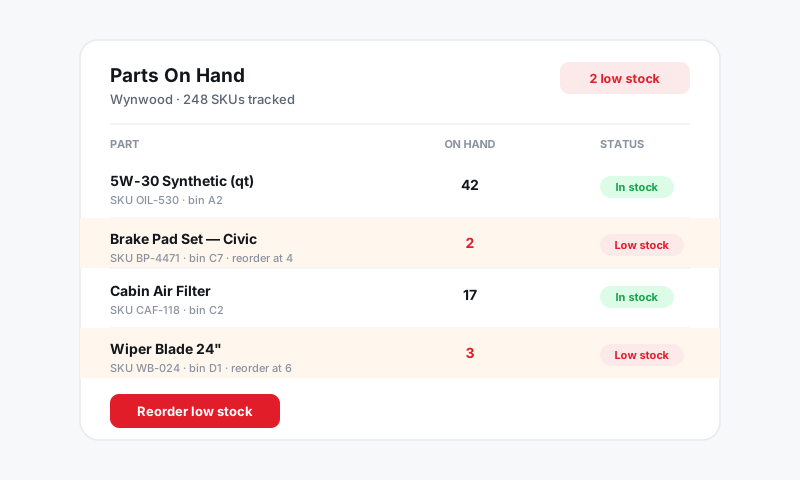
Order after approval
- Open the approved repair order. Approved jobs carry parts that are ready to source.
- Click Order parts on the RO, or open a part line and choose Order.
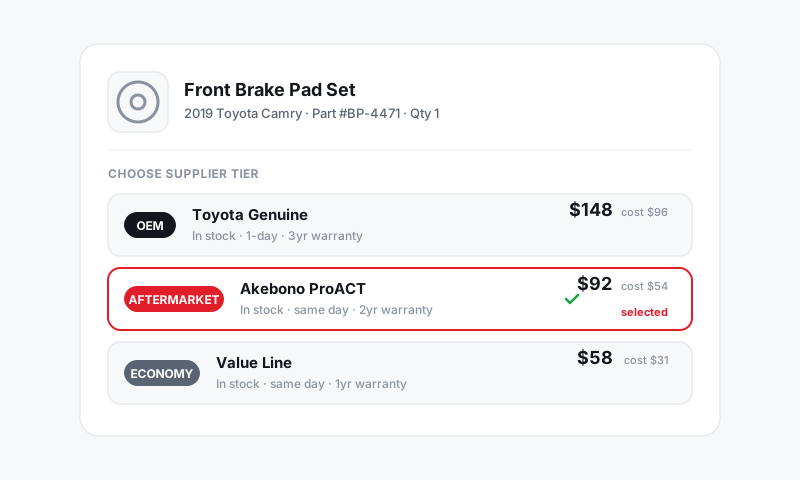
- Pista groups the parts by supplier and shows the live cost for each.
- Review quantities and the supplier for each line, then confirm to create a purchase order.
Good to know: Confirm a live price before you order. If a line is still showing an estimate, refresh it so the cost you commit matches what you quoted. See Live vs estimated pricing.
Split an order across suppliers
A single RO often pulls parts from more than one supplier. Pista handles that for you.
- On the order screen, parts are already grouped by their source supplier.
- Move a line to a different supplier if you want to consolidate or chase availability.
- Confirm each group. Pista creates a separate PO per supplier so receiving stays clean.
Receive the parts
- When the box arrives, open the purchase order.
- Check off each line as received and verify the quantity and cost against the packing slip.
- Flag a short shipment or a price discrepancy right on the PO so it does not surprise you at reconciliation.
Received parts are now tied to the RO and ready for the tech. See Inventory and Purchasing.
Handle backorders and substitutions
- If a part goes backorder after you order, switch the line to another supplier or tier and re-order. See Supplier sourcing and parts intelligence tiers.
- If a supplier ships a substitute, update the part line so the cost and number on the RO match what actually arrived.
Tips
- Order as soon as the job is approved. Waiting risks a price change or a stockout that delays the car.
- Keep the PO and the packing slip together until everything is received and reconciled.
- Watch availability when you choose the supplier. The cheapest part that ships slow can cost you the bay time. Confirm the promised time still holds. See Setting the promised time.
Still have a question about ordering parts from the ro?
Contact support