Digital Inspections
Running inspections on the Pista mobile app
Use the Pista mobile app to run inspections in the bay, capture media, and sync to the repair order in real time.
The bay is where inspections actually happen, and that means your technicians need their phones, not a desktop. The Pista mobile app lets a tech run a full digital inspection at the car, snap photos and video, and have it all sync to the repair order instantly. This article covers running inspections on the go and the few things that keep it smooth.
Before you start
- Download Pista from the App Store and sign in with the tech's account.
- Make sure the tech has a Technician role or higher so inspections appear for them. See Set up your shop.
- Open the Job Board in the app to see vehicles in the shop.
Run an inspection from your phone
- Tap the repair order for the vehicle you are inspecting.
- Open the Inspections tab and tap the inspection assigned to you, or start a new one from a template.
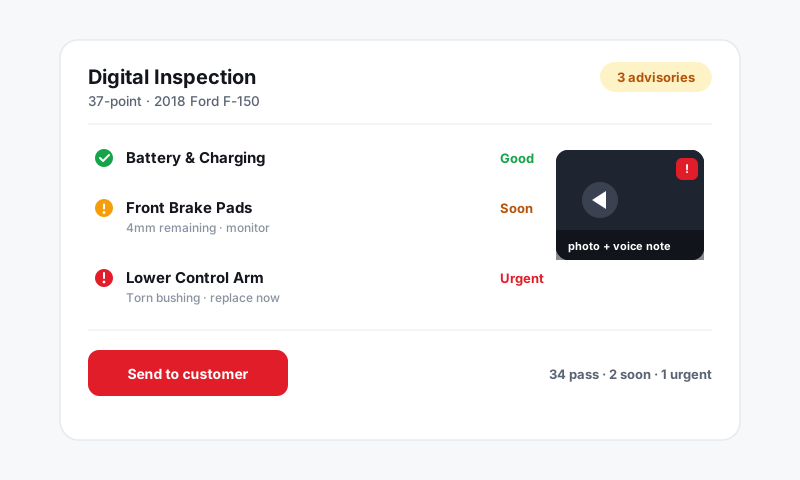
- Walk the vehicle and, for each point, set a severity flag, add a note, and attach photos or video.
- Tap Mark complete when you are done.
The inspection syncs to the desktop as you go, so a service writer at the counter sees findings appear in real time, even before you finish.
Tip: Do the walkaround in the order the template lists the points. A template that follows your physical path, front to back, top to bottom, keeps you from doubling back and saves real minutes per car. See Building and managing inspection templates.
Capture media fast
Photos and video are the whole point of doing this on a phone.
- Tap the camera icon on any point to shoot a photo or record a short video.
- Narrate videos in plain language so the customer hears the reason, not the jargon.
- Media uploads in the background, so keep moving down the checklist while it syncs.
Full detail is in Adding photos and video.
Working with spotty shop Wi-Fi
Bays are notorious dead zones. The app is built for it.
- Your work is saved continuously, so a dropped signal will not lose an inspection.
- Photos and notes queue and upload when the connection returns.
- If something looks stuck, pull to refresh the inspection once you are back in range.
Hand off to the counter
When the inspection is complete, the front counter takes it from here.
- A service writer reviews the findings, cleans up notes, and sends the report. See Sending an inspection to a customer.
- Red and yellow findings can be turned into estimate jobs. See Turning inspection findings into work.
Good to know
- The same login works on the app and the desktop, so a tech can start an inspection in the bay and a writer can finish it at the counter.
- Charge phones and keep the app updated so camera uploads stay quick.
- More on what the app can do is in Pista Mobile App.
Still have a question about running inspections on the pista mobile app?
Contact support