Estimates and Authorizations
Supplemental estimates for added work
Quote and authorize work a tech finds mid-repair without losing the original approval or the audit trail.
Almost every car tells you more once it is up on the lift. A brake job uncovers a leaking caliper; an oil change reveals a weeping valve cover. A supplemental estimate is how you quote that newly found work and get a fresh "yes" without scrapping the approval you already have. In Pista, supplements live on the same repair order, so the original authorization stays locked and the new work gets its own signed approval.
Add the new work
- Open the repair order. The originally approved jobs are already staged and in progress.
- Click Add Job to quote the new finding as its own job, separate from anything the customer already approved.
- Build it like any job: search the operation for MOTOR labor time, attach the parts the repair needs, and let Moto AI turn the tech's notes into customer-friendly wording. See Building an estimate.
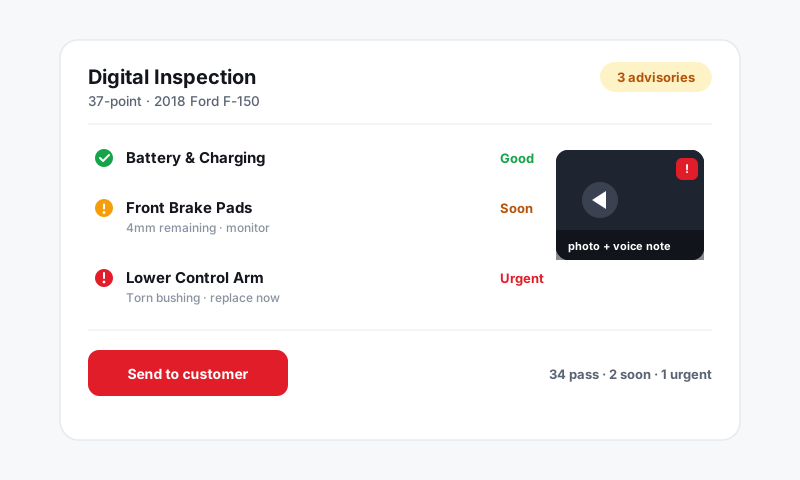
- Attach inspection photos or video of the new problem. Showing the leak beats describing it. See Digital Inspections.
Good to know: Keep added work in new jobs rather than padding an already-approved job. That way the customer sees exactly what is new, and your signed history shows precisely what was authorized at each step.
Send the supplement for approval
- Click Send for approval and choose Text or Email. Text is fastest when a customer is at work and the car is mid-teardown.
- The customer sees only the new jobs and the added amount, not a re-run of what they already approved.
- They approve or decline the new work and sign to authorize it. See Customer e-signature authorization.
The original approval is untouched. The supplement adds its own timestamped, signed record on top of it.
How totals and history stack
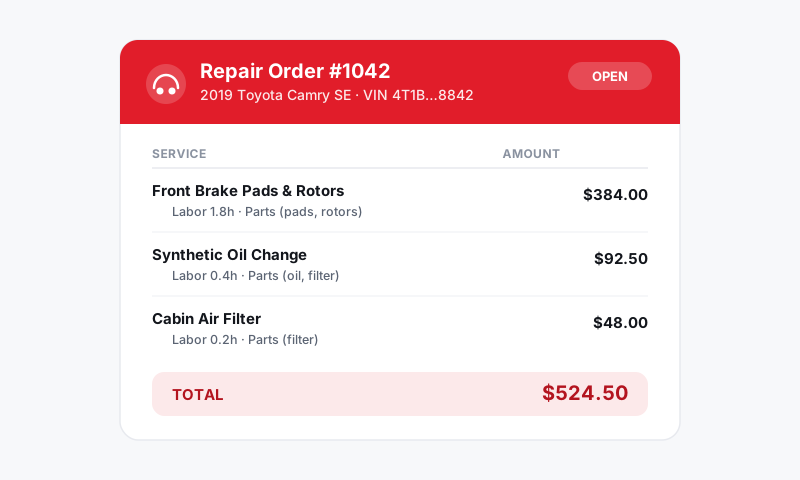
- The RO authorized total increases by exactly the approved supplemental amount.
- Each authorization, original and supplemental, keeps its own signature, jobs, total, and timestamp.
- Declined supplemental work drops out of active totals but stays on the RO as a follow-up opportunity. See Handling approved vs declined work.
Tips
- Never start on a verbal yes. A phone "go ahead" is not a signature. Send the supplement and get the tap before the wrench turns. It takes 60 seconds and protects the ticket.
- Bundle related finds. If you spot three small items at once, send them as one supplement so the customer makes one decision instead of three.
- Call out time impact. If the added work pushes the promised time, update it and mention it in the message. See Setting the promised time.
- Watch your supplement rate. A healthy approval rate on supplements is a sign your inspections and photos are doing the selling for you.
What is next
For phased big-ticket jobs and collecting money up front on added parts, see Deposits and partial authorizations.
Still have a question about supplemental estimates for added work?
Contact support