Estimates and Authorizations
Deposits and partial authorizations
Collect a deposit on big jobs and authorize work in stages so cash and risk stay in your favor.
Special-order parts, big-ticket repairs, and long jobs all share one risk: you front the cost before the customer pays. Deposits and partial authorizations let you collect money up front and approve work in stages, so your shop is never out of pocket on parts a customer might walk away from.
When to take a deposit
Take a deposit any time the job ties up real cash before completion:
- Special-order or non-returnable parts you cannot send back.
- Large repairs like engines, transmissions, or full suspension jobs.
- Long timelines where the car sits for days or weeks.
- New customers on high-dollar work, where you have no payment history yet.
Collect a deposit
- Build and get approval on the estimate. See Sending an estimate for approval.
- On the repair order, click Request deposit.
- Enter a fixed amount (for example, $400) or a percentage of the authorized total (for example, 50%).
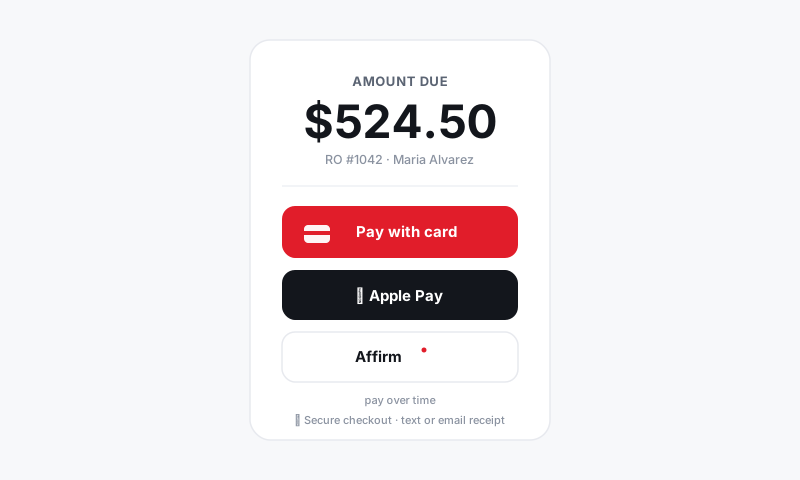
- Send the request. The customer pays by card, Apple Pay, or pay-over-time through the same secure flow as any payment. See Payments.
- The deposit posts to the RO and the remaining balance due updates automatically.
Good to know: The deposit is applied against the final invoice, not charged on top of it. At checkout, the customer pays only the balance, and the math is already done for you.
Authorize work in stages
For phased jobs, you do not have to authorize everything at once. Partial authorization lets the customer green-light the next stage as the work progresses.
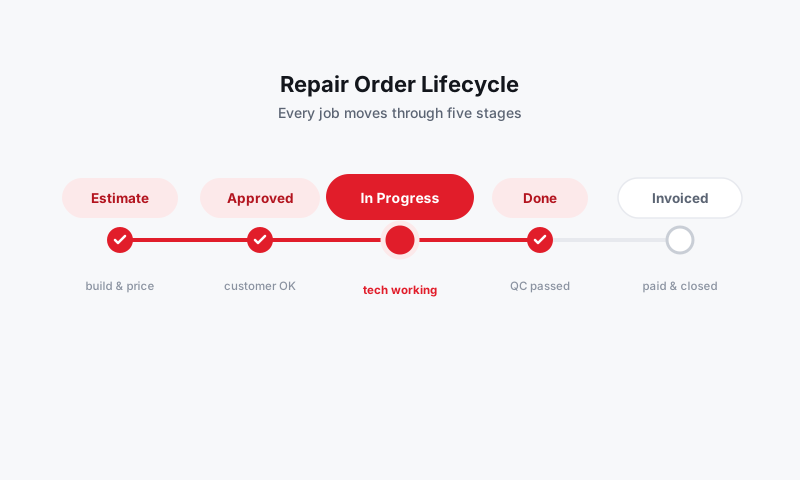
- Group the repair into logical jobs or phases, such as "Teardown and diagnosis" then "Repair."
- Send the first phase for approval and capture a signature. See Customer e-signature authorization.
- Start only the authorized phase. The rest stays staged but not active.
- When the customer is ready for the next phase, resend that portion for approval and a fresh signature, then continue.
This pairs naturally with diagnostics: authorize the diagnosis first, then build and send the repair estimate once you know what the car actually needs.
Track deposits and balances
Each RO shows the full picture:
- Authorized total for the approved work
- Deposit paid with date and method
- Balance due at checkout
Deposits also flow into your payment reconciliation so your daily totals stay accurate. See Reports.
Tips
- Tie the deposit to the part cost. Covering your hard parts outlay means a no-show never costs you cash.
- Put the terms in writing. Note whether the deposit is refundable in the estimate message so expectations are clear and signed.
- Use phases to build trust. Authorizing diagnosis first lets a hesitant customer commit a small amount before the big number, and it almost always leads to the full repair.
What is next
Deposits and partial authorizations work hand in hand with Handling approved vs declined work and the Payments flow at checkout.
Still have a question about deposits and partial authorizations?
Contact support