Estimates and Authorizations
Handling approved vs declined work
Move approved jobs into the bay and turn declined work into future revenue instead of losing it.
A customer rarely approves everything at once, and that is fine. Pista keeps approved and declined jobs cleanly separated on the same repair order, so your team knows exactly what to start, and your shop never loses track of the work a customer passed on. Declined work is not dead; it is your next appointment.
After the customer responds
When a customer approves part of an estimate, the RO splits the work automatically:
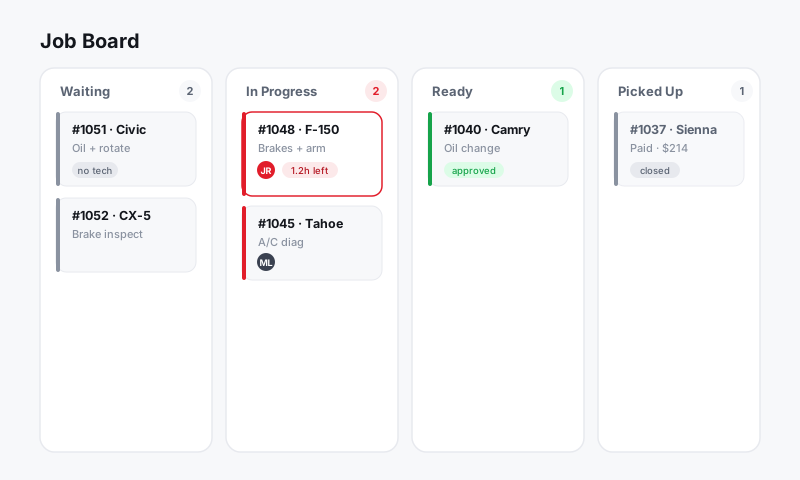
- Approved jobs are staged: parts are ready to order and labor is ready to assign.
- Declined jobs stay on the RO, clearly marked, but excluded from the active totals.
The RO status updates to Approved or Partially approved, and the Job Board reflects what is cleared to begin.
Start the approved work
- Open the repair order and confirm the approved jobs.
- Order parts for those jobs from your connected suppliers. See Parts and Suppliers.
- Assign the jobs to technicians and move the RO forward on the Job Board.
- Only the authorized total drives invoicing, so what the customer signed is what they pay.
Tip: Do not order parts for declined jobs. Because Pista isolates approved work, your purchasing stays tight and you avoid stocking parts for repairs that may never happen.
Keep declined work alive
Declined jobs are a built-in follow-up list. Each one is a real, already-quoted opportunity.
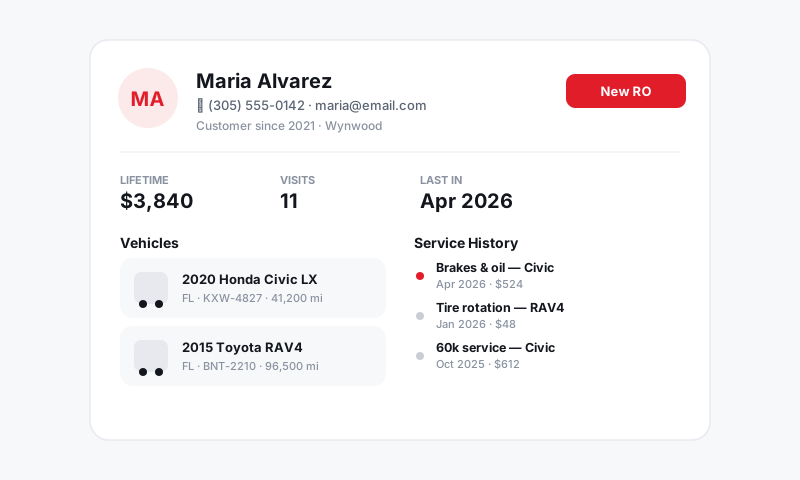
- The declined job stays attached to the customer and vehicle history. See Customers and CRM.
- Set a follow-up reminder to circle back, for example "Recommend brakes again in 60 days."
- When the customer returns, the old estimate is right there. Re-send it in seconds instead of rebuilding it.
When a customer changes their mind
Customers often approve the rest after sleeping on it.
- Reopen the estimate on the RO.
- Move the declined job back to approved, or have the customer approve it from the link you re-send.
- Capture a fresh signature on the newly approved amount. See Customer e-signature authorization.
- The job rejoins the active work and totals update.
Good to know
- Fully declined estimates still leave a complete record on the vehicle, so nothing is wasted. The next visit starts from real history, not a blank page.
- Reporting counts approved versus declined work, so you can see your approval rate and coach the front counter. See Reports.
What is next
For deposits on big-ticket approvals and authorizing work in stages, continue to Deposits and partial authorizations.
Still have a question about handling approved vs declined work?
Contact support