Shop Settings
Default service writer and shop preferences
Set the operational defaults that make every new repair order start the way your shop runs, from default advisor to Moto AI behavior.
Most of the friction at a busy front counter comes from re-setting the same things on every ticket. Shop preferences fix that. Set your defaults once and every new repair order opens already configured the way your shop runs, so writers spend their time on customers, not dropdowns.
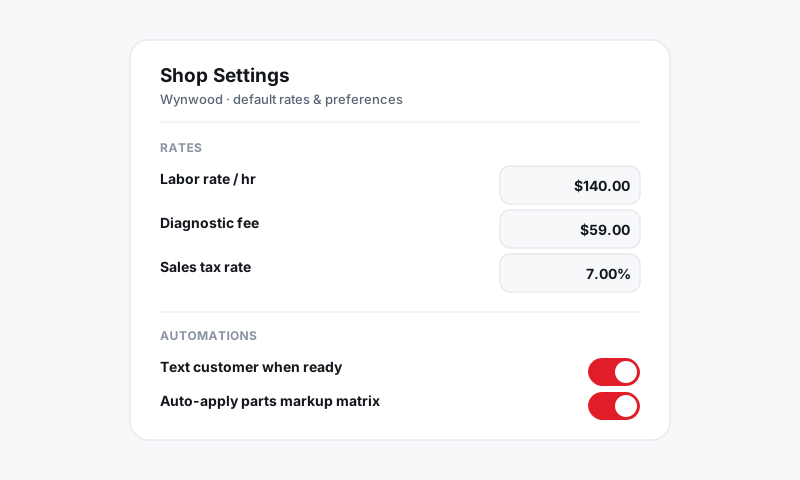
Where preferences live
- Open Shop Settings, then Preferences.
- If you run more than one location, pick the store from the switcher, since defaults are per store.
Set your default service writer
- Choose the default advisor new repair orders are assigned to.
- Single-advisor shops set this once and never think about it again.
- Busier shops can leave it unassigned so the writer who opens the ticket is recorded, which keeps your reports on writer performance honest.
Tune Moto AI behavior
Moto AI is your built-in service writer. Preferences control how forward it is on a new ticket.
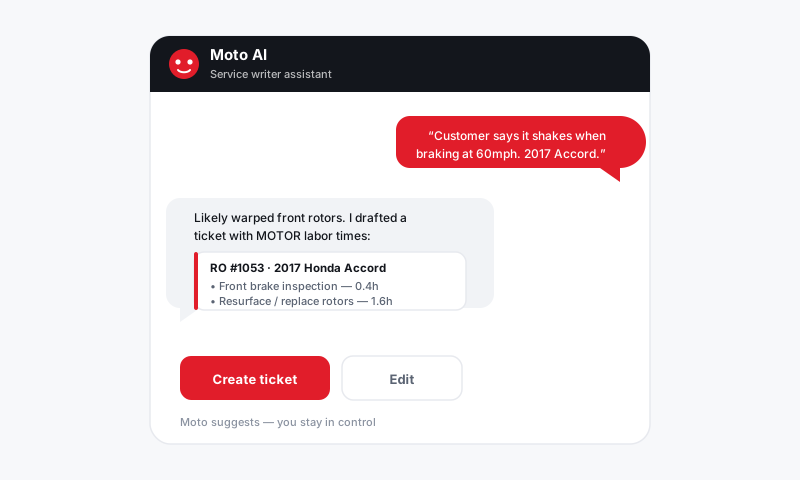
- Choose whether Moto AI drafts job descriptions and findings automatically or waits for you to ask.
- Set the tone for customer-facing language so AI-written notes sound like your shop.
- Decide whether Moto AI suggests related work based on the inspection and history.
Good to know: Moto AI drafts; you approve. Nothing it writes reaches a customer until a writer sends it, so you stay in control of every word that leaves the shop.
Set repair order defaults
- Pick the default labor rate and markup new jobs use, which flow from your fees and rates.
- Choose whether new ROs require a part on every labor line, the standard for shops that never want a labor-only ticket slipping through.
- Set the default inspection that attaches to new ROs so nothing skips the multi-point. See Digital inspections.
Set messaging defaults
- Choose whether status updates text or email customers by default. See Messaging and inbox.
- Turn on appointment reminders so the calendar reminds customers without anyone chasing them.
Tips
- Default to your most common job, not your rarest. If ninety percent of your work is maintenance, set defaults for that and override the exceptions.
- Require a part per labor line if it fits your shop. It catches missed parts before they walk out the door under-billed.
- Revisit preferences after you hire. A new advisor or a second bay often changes what "default" should mean.
What is next
With defaults set, walk a real ticket through start to finish in Repair orders and confirm each new RO opens the way you intended.
Still have a question about default service writer and shop preferences?
Contact support