Moto AI Service Writer
Tips for accurate AI write-ups
Practical habits that get Moto AI to produce sharper, more accurate jobs, labor, and parts with less editing.
Tips for accurate AI write-ups
Moto AI is good out of the box, but the quality of what it drafts depends a lot on what you give it. The advisors who get the cleanest tickets are not doing anything magic, they are just feeding Moto better inputs. Here are the habits that make the biggest difference.
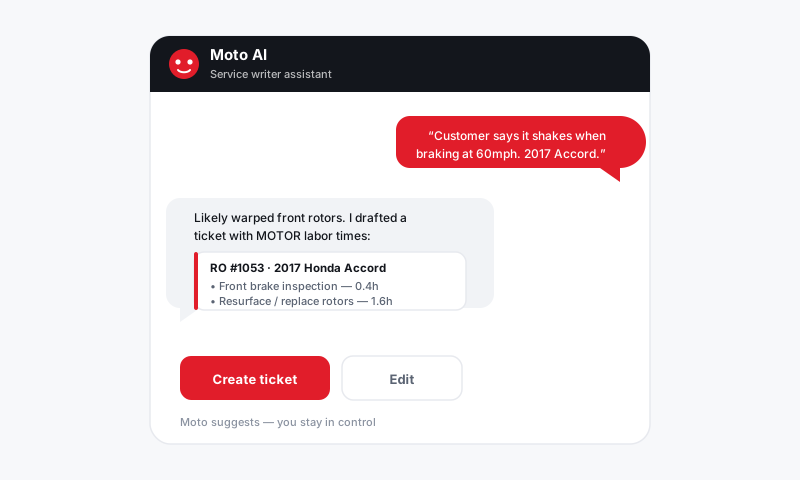
Start with the right vehicle
Everything Moto does hangs on the vehicle, so nail this first.
- Use the VIN whenever you can. It locks in the exact engine and trim, which is what drives correct MOTOR labor times and correct parts.
- Add the mileage. Moto uses it to recommend the right maintenance and to avoid suggesting service the car is not due for.
- Confirm the engine on multi-engine models before you trust a part or a labor time.
Describe the symptom, not just the fix
Give Moto the same information a good tech would want:
- Say "vibration in the steering wheel above 60 mph" instead of "needs tires."
- Mention when and how the problem shows up: cold start, after rain, only when braking.
- Note what the customer already tried or what a previous shop did.
The more context Moto has, the better its write-up reads and the fewer corrections you make.
Be specific about parts and tiers
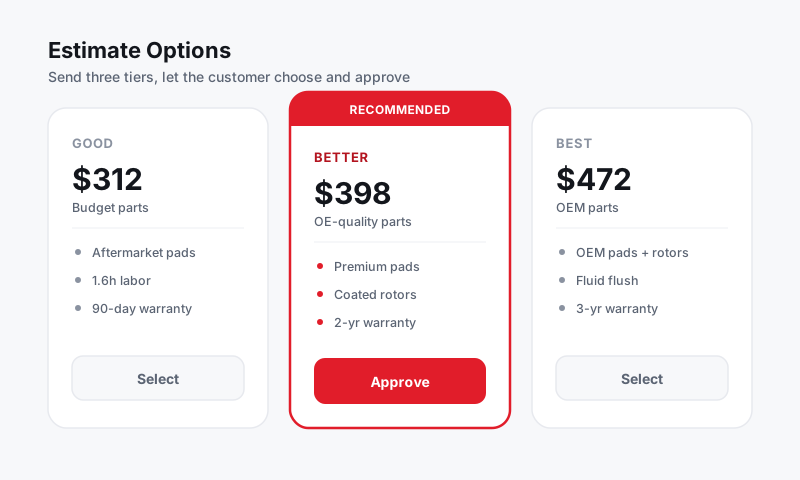
If you have a preference, say it up front. Moto can source OEM, aftermarket, or budget tiers through your suppliers, so a quick "use OEM" or "keep it to budget parts, customer is price-sensitive" gets you the right draft the first time.
Refine in small steps
You do not have to write one perfect paragraph. Build the ticket conversationally:
- Start with the main concern.
- Add jobs one at a time.
- Adjust labor, parts, or tiers as you go.
Small, clear instructions land more reliably than one long, tangled request.
Tip: Treat Moto like a sharp apprentice. Clear, specific direction gets great results. Vague direction gets a vague draft. The thirty seconds you spend describing the job well saves you minutes of editing later.
Always verify before sending
This is the habit that matters most. Moto pulls real labor times and live parts pricing, but it can only work with the data it is given, and edge-case vehicles sometimes have gaps. Before any estimate goes out:
- Confirm labor times against your own bay experience.
- Confirm part fitment, especially on uncommon trims.
- Confirm the totals reflect your rates, fees, and tax.
See the full review checklist for the complete pass.
Build your shop's habits
Consistency compounds. If your whole team leads with symptoms, attaches VINs, and states part tiers, your tickets start to read the same way no matter who wrote them. That consistency is what makes a customer trust the estimate, and it is the quiet payoff of using Moto well.
Still have a question about tips for accurate ai write-ups?
Contact support