Reports
Monthly close and accountant export
Wrap up the month and hand your bookkeeper a clean export of sales, tax, and payments without exporting your whole database.
At month end your accountant needs three things from the shop: what you sold, how much tax you collected, and how the money came in. Pista lets you produce all three from the same Reports hub and export them in a format your bookkeeper can actually use, so the monthly close stops being a scavenger hunt through a dozen screens.
Set the month
- Go to Reports and open the Sales and revenue report.
- Set the date range to Last month (or a custom first-to-last-day window).
- Choose the store, or All stores if your books are consolidated.
Pull the three core numbers
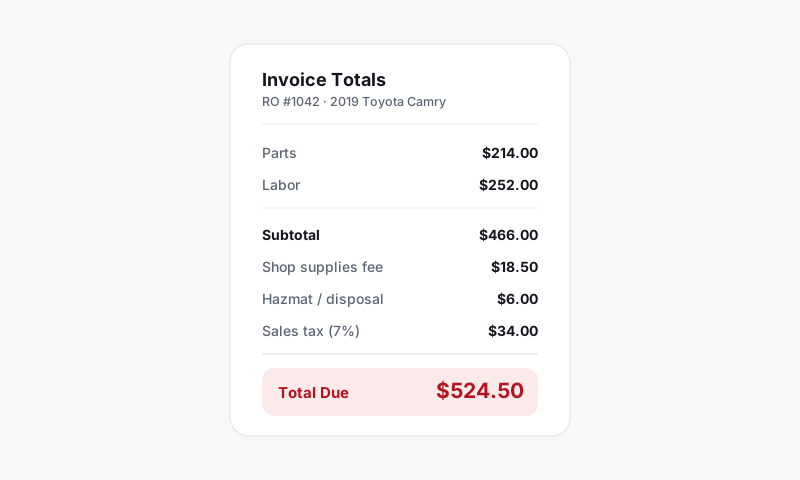
- From the sales report, capture total sales after discounts and the sales tax collected line. Tax is a liability you owe, not income, so it must come over separately.
- From the profitability report, capture gross profit on labor and parts if your bookkeeper tracks cost of goods.
- From the payments breakdown, capture totals by method so deposits reconcile against the bank.
Good to know: Sales tax is money you are holding for the state, not revenue. Keeping it on its own line in the export is what keeps your books and your tax filing honest. Pista's tax rules are set per state in your shop settings, so the collected figure already reflects the right rate.
Export for your bookkeeper
- On each report, click Export.
- Pista exports the exact rows you filtered, so the file matches the month and store on screen, not your entire history.
- Send the files to your accountant, or hand them off through your accounting integration if you have one connected.
Reconcile before you sign off
- Add the daily deposit batches for the month and confirm they tie to the bank.
- Match sales minus tax to what your accounting system recorded as income.
- Resolve any open ROs that should have closed in the month so they do not slip into the next one.
Tips
- Close on the same calendar window every month. Mixing a 28-day February with a 31-day March quietly distorts every trend you draw.
- Export early in the new month, before anyone reopens an old ticket. A reopened RO can shift a number you already reported.
- Keep the exports. A simple monthly folder of these files is the cleanest audit trail a small shop can have.
Pull sales, tax, and payments from the same window, export only what you filtered, and your monthly close goes from an afternoon to a coffee break.
Still have a question about monthly close and accountant export?
Contact support