Reports
Declined work and comeback reports
Track the work customers said no to and the jobs that came back, two reports that quietly hold your next month of revenue and your hidden costs.
The money in your shop is not only on the tickets you closed. It is also sitting in the work customers declined and bleeding out of the jobs that came back. Pista surfaces both so you can chase the first and kill the second. These two reports are where smart owners find growth that costs nothing to acquire and losses that cost more than they realize.
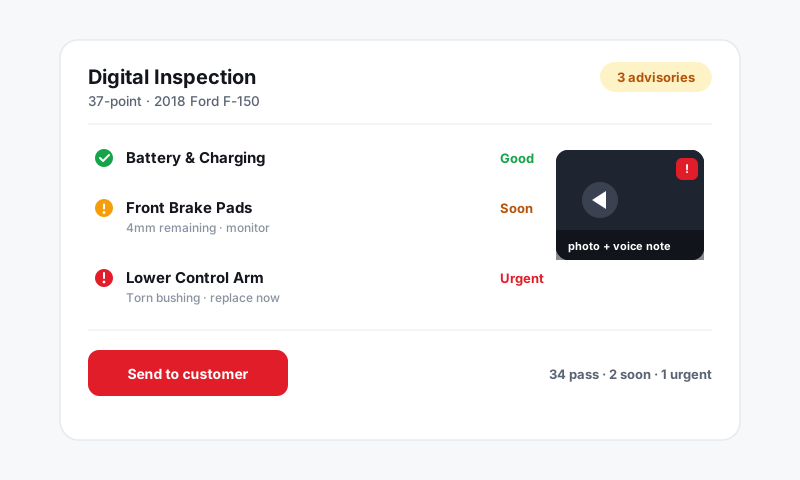
Find declined work
Every inspection finding a customer waved off is a future sale you have already done the diagnosis for.
- Go to Reports and open the Declined work view.
- Set a date range that covers the visits you want to follow up on.
- Read the list of declined jobs, each tied to the customer, vehicle, and the inspection it came from.
Good to know: Declined work is the warmest lead you will ever get. The customer already trusts you enough to be in your bay, and you already have the vehicle, the finding, and the price. A simple reminder a few weeks later turns a no into a yes more often than any ad ever will.
Turn declines into appointments
- Sort declined work by value or by safety severity so you chase the jobs that matter first.
- Click a row to open the customer, then message them straight from Pista with the specific recommendation.
- Lean on Moto AI to draft a friendly, plain-English nudge that references the exact finding rather than a generic "you're due for service" blast.
Track comebacks
A comeback is a job that returns under warranty or rework, and it is pure cost: labor paid twice, revenue collected once.
- Open the Comebacks view in Reports.
- Review redone jobs by tech, by job type, and by vehicle.
- Drill into a comeback to see the original RO beside the rework so you can tell what actually went wrong.
Read comebacks honestly
- Cluster by tech to spot a training need, not to assign blame in a vacuum.
- Cluster by job type to catch a procedure or a parts-quality issue that is bigger than any one person.
- Cross-check against the technician report, since comeback hours inflate clocked time and drag efficiency, exactly as they should.
Tips
- Work declined jobs on a weekly rhythm. The list is freshest within the first month while the customer still remembers the conversation.
- A rising comeback rate on a single job type is almost always a budget-tier part or a skipped step, not a bad tech. Check the part and the procedure first.
- Pair both reports with profitability: declined work shows the upside you are leaving behind, comebacks show the margin you are quietly giving back.
Chase your declines and choke off your comebacks, and you will move the bottom line without writing a single new ticket from scratch.
Still have a question about declined work and comeback reports?
Contact support