Inventory and Purchasing
Receiving a purchase order
Check in a delivery against its purchase order so your on-hand counts, costs, and back-orders all stay accurate.
Receiving is the moment the box on the dock becomes stock in your system. Done right, it takes thirty seconds and keeps your counts perfect. Skipped or done sloppily, it is the number-one reason the screen says you have four filters and the shelf says zero. In Pista, receiving a purchase order updates your on-hand quantities and locks in the real cost you paid, all from one screen.
Receive the delivery
- Open Purchase Orders and select the open PO that matches the delivery.
- Click Receive.
- Go line by line and check the parts in the box against the parts on the PO.
- For each line, confirm the quantity received. If you got everything, accept the full amount.
- Click Confirm Receipt.
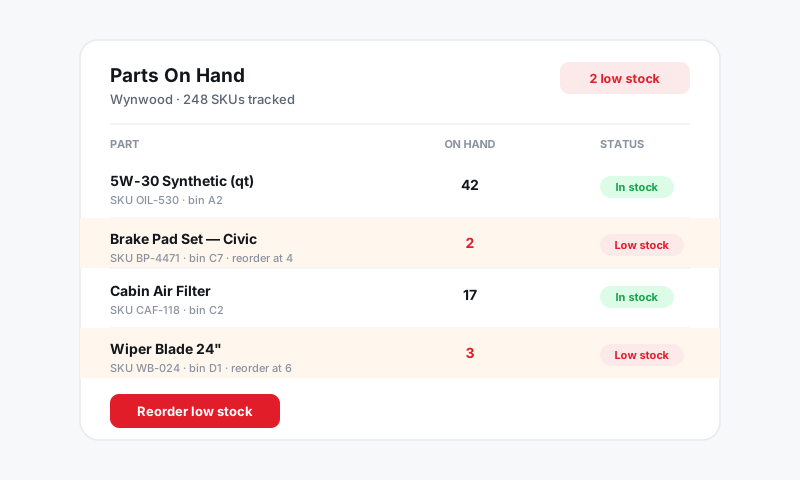
The instant you confirm, Pista raises the on-hand quantity for every received item and records the cost from the PO line against that part.
When the delivery does not match the PO
Real deliveries are rarely perfect. Pista handles the common gaps:
Partial shipments
If only some of an item arrived, enter the quantity you actually received instead of the full amount. The PO stays open for the remainder so you can receive the rest when it shows up. Nothing is lost and your counts only reflect what is truly on the shelf.
Wrong or damaged parts
Receive only the good units. Leave damaged or incorrect items off the receipt and handle them as a return or core with the vendor. Add a note on the PO so the story is clear when the credit comes through.
Price changes
If the invoice cost differs from what you entered on the PO, update the unit cost as you receive so your part cost matches what you were actually charged. Accurate cost is what keeps your parts gross profit honest in Reports.
Good to know: Receiving is what makes the loop close. A PO that is submitted but never received will show as still open forever, and your shelf will quietly drift ahead of your screen. Receive every delivery, even small counter pickups.
Match it to the invoice
After receiving, the PO carries the real received quantities and costs, which makes it easy to check against the vendor's invoice line by line. Catch a double-bill or a quantity short before you pay it, not after.
Tips
- Receive at the dock, not at the desk. Checking parts in while the box is open catches shortages and damage immediately.
- Confirm the RO connection. If a line was bought for a specific repair order, route the part to that car so the tech is not waiting.
- Update cost when it changed. A few cents per part adds up across a year and quietly erodes margin if you ignore it.
- Leave a note on anything weird. Short receipts, damage, and substitutions are far easier to reconcile later with a one-line explanation.
What is next
Keep the vendors behind your POs clean and current with Managing vendors.
Still have a question about receiving a purchase order?
Contact support