Inventory and Purchasing
Low-stock alerts and reorder points
Set reorder points so Pista warns you before you run out of a part, not after a car is already on the lift.
Running out of a common part is one of the quietest ways to lose a day. The car is on the lift, the tech is ready, and the oil filter bin is empty. Reorder points fix that. You tell Pista the lowest count you are comfortable with for each stocked item, and it flags the part the moment you cross that line, so you reorder on your schedule instead of in a panic.
Set a reorder point
- Open Inventory and select the item.
- Find the Reorder Point field.
- Enter the on-hand quantity at which you want to be warned. This is your floor, not zero.
- Optionally set a reorder quantity, the amount you typically buy when you restock.
- Save.
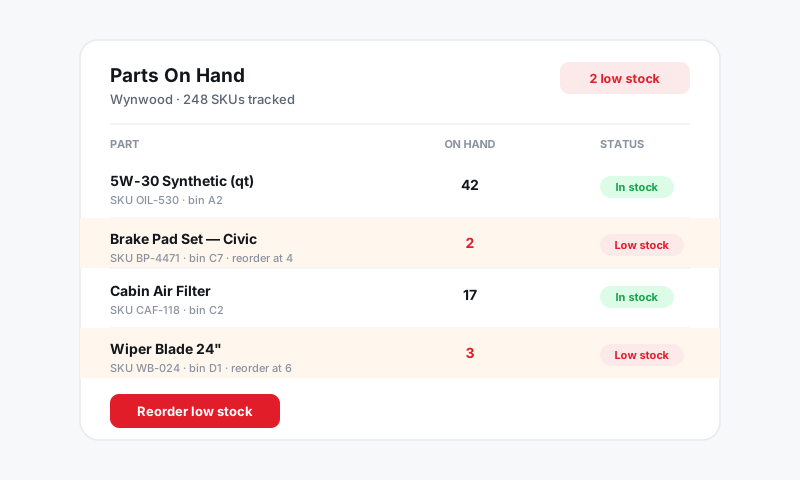
That is it. Pista now watches that item's on-hand count and raises a flag the instant it drops to or below the number you set.
How to pick a smart reorder point
A good reorder point covers how fast the part sells plus how long it takes to arrive. A simple rule:
Reorder point = how many you use in a normal lead time, plus a small cushion.
For example, if you go through about 4 cabin filters a week and your supplier delivers in 2 days, you might set the point at 3 or 4 so a fresh order lands before the bin is empty. Fast movers get a higher floor; once-a-month items can sit near 1.
See what needs ordering
- Open Inventory.
- Filter or sort by Low Stock.
Every item at or below its reorder point is grouped together. This list is your shopping list. From here you can turn the flagged items straight into a purchase order instead of retyping part numbers. See Creating a purchase order.
Where alerts show up
- A low-stock badge appears on the item in the inventory list.
- The Inventory section surfaces a count of items needing attention so you can act on it without digging.
Tips
- Tune the number after a month. Watch which parts hit zero or pile up, then nudge the reorder point until it matches reality.
- Seasonality matters. Bump up wiper blades and AC parts before the season that drives them, then ease off after.
- Do not set points on parts you do not stock. Special-order parts belong on a job's parts line and a PO, not on your standing shelf count.
- Group by supplier when you reorder. Filling one PO per vendor from the low-stock list keeps shipping and minimums efficient.
What is next
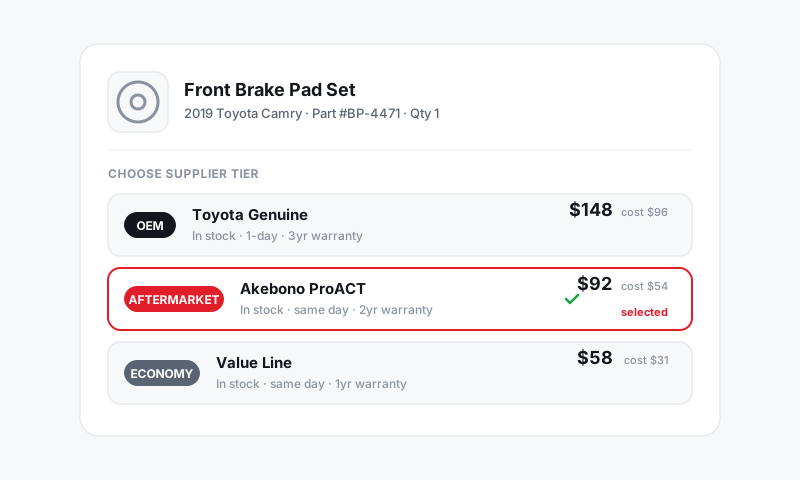
Turn your low-stock list into an order with Creating a purchase order.
Still have a question about low-stock alerts and reorder points?
Contact support