Inventory and Purchasing
Doing a physical inventory count
Reconcile your shelf to your screen with a physical count so your on-hand numbers, costs, and margins stay trustworthy.
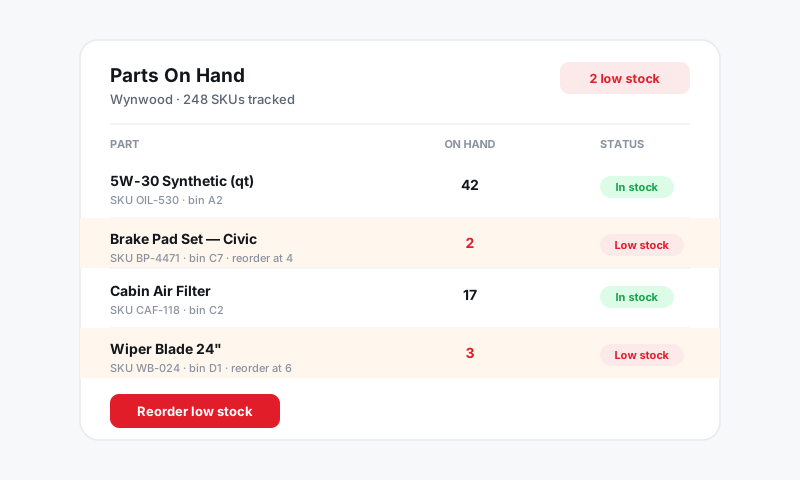
No matter how clean your process is, the shelf and the screen drift apart over time. A part gets grabbed without going on an RO. A return never gets logged. A box gets miscounted at receiving. A physical count is how you catch that drift and reset to the truth. Do it regularly and your reorder points, purchase orders, and parts margin reports all stay reliable.
Before you count
- Finish open receiving. Receive any deliveries sitting on the dock so they are in the system before you count them. See Receiving a purchase order.
- Pull a count sheet. Open Inventory and export or print the item list with the current on-hand quantities.
- Pick a quiet window. Counting between jobs or at end of day keeps the numbers from moving under you.
Count and reconcile
- Go shelf by shelf and write down what you physically have for each item.
- Back in Inventory, open any item where your count does not match the on-hand number.
- Click Adjust Quantity.
- Enter the actual count you just took.
- Add a reason, such as "Q2 physical count," so the change is documented.
- Save.
Pista logs every adjustment with who made it and when, so you build a paper trail that explains exactly when and why a count moved.
Good to know: You do not have to count everything at once. A cycle count, where you count a slice of your shelf each week or month, is far easier to sustain than one giant annual count and catches problems while they are small.
Read the variances
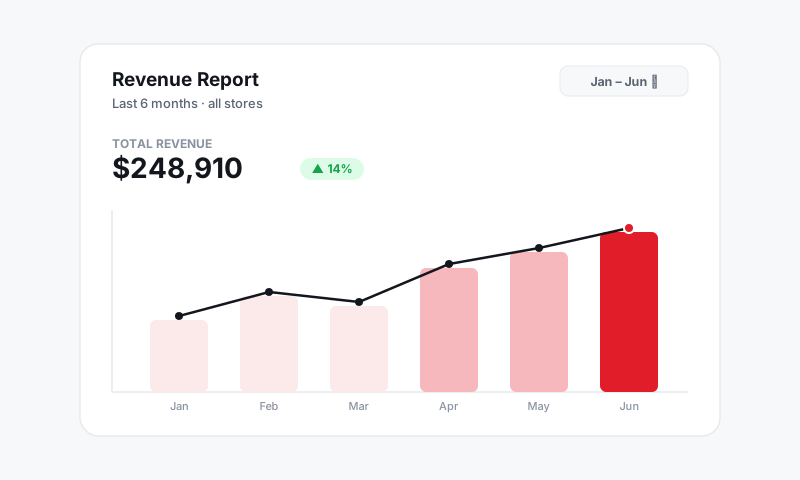
When your counted number and your on-hand number disagree, the gap is telling you something:
- Consistent shortages usually mean parts are leaving without going on a repair order. Tighten the habit of adding every stocked part to its RO.
- Surprise surpluses often mean a delivery was received twice, or a return was never logged.
- One-off mismatches are normal. Adjust and move on.
Tips
- Count your fast movers most often. The parts that turn the quickest are the ones most likely to drift.
- Fix the cost while you are in there. If you spot an item carrying an old cost, update it so your parts gross profit in Reports stays accurate.
- Investigate big gaps before adjusting. A large variance is worth a two-minute look at recent POs and ROs before you write it off.
- Make it a routine, not a fire drill. A short monthly cycle count beats a dreaded year-end marathon every time.
What is next
Once your counts are clean, revisit your reorder points so Pista keeps watching the shelf for you.
Still have a question about doing a physical inventory count?
Contact support