Tax and Shop Fees
Tax reports and reconciliation
Pull the sales tax you collected by store and period so filing your return takes minutes, not hours.
Collecting tax correctly is half the job. The other half is knowing what you collected when it is time to file. Pista's reports break down tax by store and period so you can hand clean numbers to your accountant or drop them straight into your state return, without tallying invoices by hand.
Pull a tax report
- Go to Reports.
- Open the sales tax or collections report.
- Set the date range to match your filing period (monthly, quarterly, or annual, depending on your jurisdiction).
- If you run more than one location, filter by store so each files against its own jurisdiction.
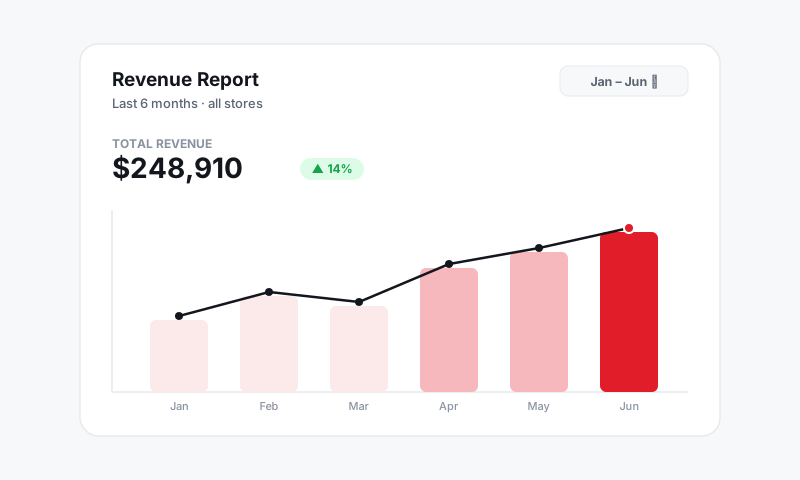
The report shows your taxable sales, non-taxable and exempt sales, and the tax collected for the period, separated so the split matches what most state returns ask for.
Reconcile before you file
A few minutes of reconciliation now saves a painful amendment later.
- Confirm the tax collected matches the rate times taxable sales for the store. If it is off, look for a mid-period rate change or a recently flipped taxable switch.
- Check that exempt sales line up with your tax-exempt customers. Unexpected exempt totals usually mean a customer was flagged who should not have been. See Handling tax-exempt customers.
- Make sure fees landed on the right side of the line. If a supplies fee you meant to tax shows as non-taxable, fix the flag in Tax on fees.
Good to know: Reports reflect the tax that was actually collected on finalized repair orders. If you reopen and recalculate an old RO after changing a tax setting, the numbers update, so reconcile against the period you are filing, not a stale export.
Tips
- File per store. When locations sit in different jurisdictions, run the report once per store and file each return on its own numbers. Per-store tax rates keeps these cleanly separated.
- Match the calendar to your state. Set the date range to your assigned filing frequency. Filing monthly when the state wants quarterly (or the reverse) is a common, avoidable headache.
- Reconcile to payments. Tax collected should track with what actually hit your deposits. If they drift, check Payments for refunds or adjustments that moved a total after the fact.
- Keep your exemption records. Exempt sales on the report should each map to a certificate on file. Auditors will ask.
What is next
If a number looks wrong, trace it back through How Pista calculates sales tax by state and your taxable settings.
Still have a question about tax reports and reconciliation?
Contact support