Tax and Shop Fees
Per-store tax rates
Give each location its own tax rate and fee structure so multi-store shops collect correctly everywhere.
If you run more than one location, you do not have one tax setup, you have several. A store in one county may carry a different combined rate than a store two cities over, and a store across a state line plays by entirely different rules. Pista keeps each store's tax rate, taxable settings, and fees separate, so every repair order is correct no matter where it was written.
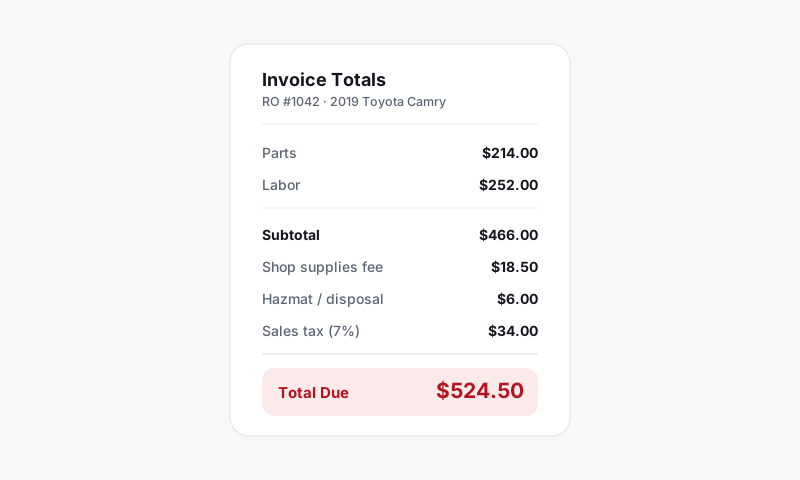
How per-store tax works
Each store in Pista carries its own:
- Tax rate, set to match what that location actually remits.
- Taxable settings for parts, labor, and fees, driven by that store's state rule.
- Shop fees, since overhead differs by location.
When you start a repair order, you pick the store, and the RO inherits that store's full tax and fee profile. Nothing carries over from another location by accident.
Set up a store's tax rate
- Go to Shop Settings, then Tax and Shop Fees.
- Use the store selector at the top to choose the location.
- Confirm or update the tax rate so it matches your filing for that jurisdiction. Enter the combined rate if your locality stacks county or city tax on the state rate.
- Review the taxable switches and shop fees for that store, then save.
- Repeat for each location.
Good to know: The rate, taxable flags, and fees are all scoped to the store you have selected. Switch stores in the selector before you edit, or you will change the wrong location's setup.
Why this matters at checkout
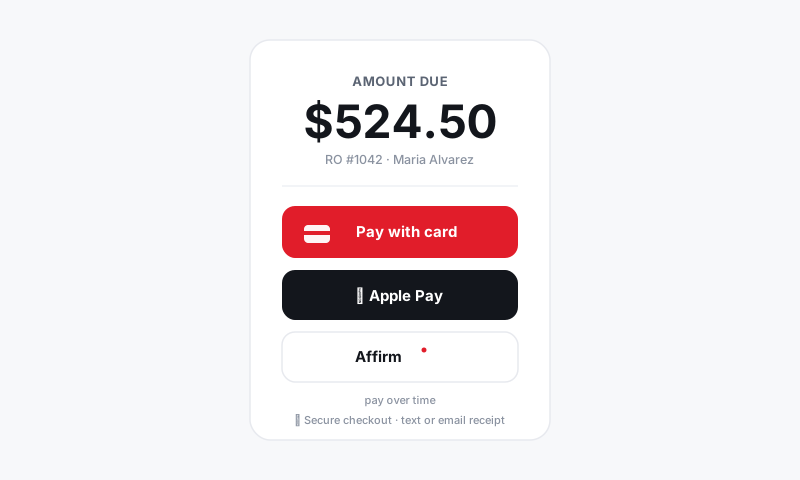
When a customer pays, the tax on their invoice is the tax their store collected, computed from that store's rate and rules. Your reports and reconciliation then break down cleanly by location, which makes filing returns far less painful when each store files in its own jurisdiction.
Tips
- Audit each store after setup. Write one throwaway estimate per location with a part and a labor line, and confirm the tax line matches what you expect for that jurisdiction. Delete the test tickets after.
- Update rates as a routine. When a local rate changes, update only the affected store. The others are untouched.
- Keep fee structures distinct. A high-rent location may justify a higher supplies cap than a smaller satellite shop. Per-store fees let you reflect real costs instead of forcing one number everywhere.
- New stores inherit nothing tax-wise. Always confirm the rate and taxable settings on a freshly created store before you write live tickets there.
What is next
Confirm the underlying logic in How Pista calculates sales tax by state, and when it is time to file, pull the numbers with Tax reports and reconciliation.
Still have a question about per-store tax rates?
Contact support