Tax and Shop Fees
Setting up shop fees (supplies, disposal, hazmat)
Add shop supplies, disposal, and hazmat fees so every repair order recovers your real overhead automatically.
Rags, cleaner, fasteners, used oil hauling, the bin for old filters: the small stuff adds up, and most shops bleed margin by not charging for it. Pista lets you set up shop fees once and apply them to every repair order automatically, so you stop eating costs you should be recovering.
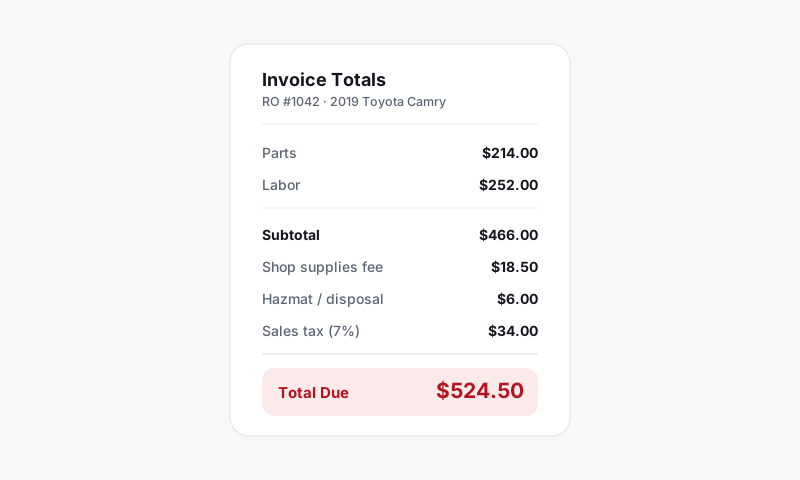
Where shop fees live
- Go to Shop Settings, then Tax and Shop Fees.
- Pick the store you are configuring.
- Under Shop Fees, click Add Fee.
You can create as many fees as you need. The three most shops set up are Shop Supplies, Disposal, and Hazmat.
Configure a fee
For each fee, set:
- A name the customer will see on the invoice, like "Shop Supplies."
- A type: a percentage of the job (commonly of labor) or a flat amount.
- A cap if you use a percentage, so a big repair does not produce an absurd supplies charge. A typical setup is a percent of labor capped at a dollar maximum.
- A taxable flag that decides whether tax applies to the fee. See Tax on fees.
Save, and the fee starts applying to new repair orders at that store.
Common fee setups
- Shop supplies — a percentage of labor (so it scales with job size) with a sensible cap. This recovers the consumables a flat parts markup never captures.
- Disposal — a flat fee per RO, or per applicable job, to cover used oil, filters, and fluids you pay to haul away.
- Hazmat — a flat fee on jobs that generate hazardous waste, like coolant flushes or AC service. You can keep it off oil changes and let it ride on the jobs that actually create the cost.
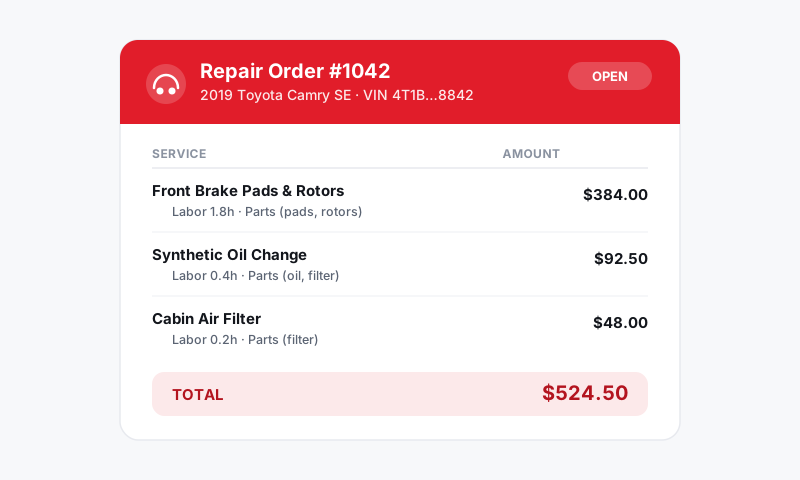
Good to know: Pista shows fees as their own lines in the RO summary, separate from parts and labor. Customers see exactly what they are paying for, which heads off "what is this charge?" at checkout.
Tips
- Cap your percentage fees. Without a cap, a $4,000 engine job can tack on a triple-digit supplies fee that feels like gouging. A cap keeps it honest and defensible.
- Name fees plainly. "Shop Supplies" reads better than "Misc Fee." Clear naming reduces pushback and chargebacks.
- Set it per store. If your locations carry different overhead, give each its own fee structure. See Per-store tax rates, which covers per-store fee setup too.
- Check your state. Some states regulate how shop fees are disclosed or whether they can be a flat percentage. When in doubt, itemize.
What is next
Decide whether each fee is taxed in Tax on fees, and review Configuring what is taxable so the whole RO totals correctly.
Still have a question about setting up shop fees (supplies, disposal, hazmat)?
Contact support