Tax and Shop Fees
How Pista calculates sales tax by state
See how Pista applies the right sales tax rate to every repair order based on your store's state rules.
Sales tax on auto repair is one of those things that feels simple until you cross a state line. Some states tax parts but not labor. Some tax both. A few tax neither under certain conditions. Pista handles all of it for you by tying each store to a state rule set, so the tax on every repair order is correct without you doing the math.
Where the tax rate comes from
When you create a store, you set its address and state. From that, Pista does three things automatically:
- Loads the state tax rule that decides what is taxable (parts, labor, fees, or some mix).
- Applies your store's tax rate, which you confirm during setup so it matches your actual filing rate.
- Calculates tax line by line as you build the repair order, then rolls it into the RO total.
Because the rule is tied to the store, a brake job written at your Doral location and the same job written at a different-state location will tax correctly on their own terms. Nobody has to remember which state does what.
How it shows on a repair order
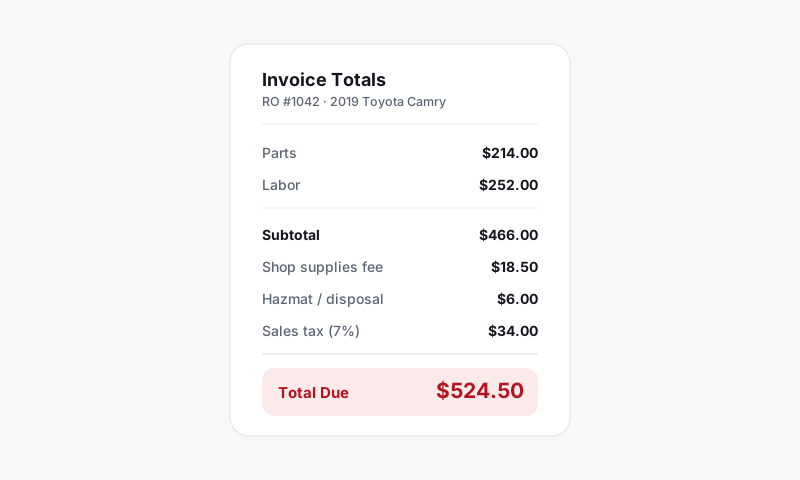
As you add labor and parts, the summary panel updates live:
- Parts are taxed if your state rule and your taxable settings say they should be.
- Labor is taxed only where the state treats labor as taxable.
- Shop fees follow their own taxable flag (more on that in Tax on fees).
- The tax line at the bottom reflects the sum of everything currently taxable.
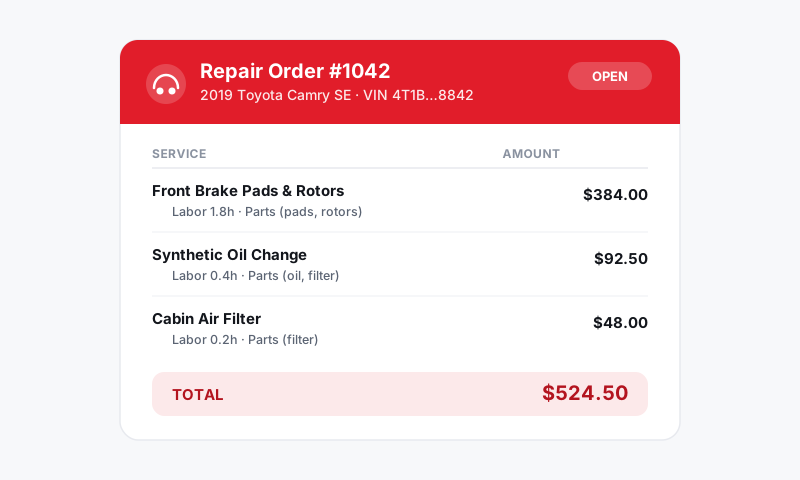
Decline a job or remove a part and the tax recalculates instantly. The number on the customer's invoice is always the number Pista computed, not a stale figure.
Good to know
Pista uses your state's rule to decide what is taxable and your confirmed rate to decide how much. The two are separate on purpose. That way, if your local rate changes, you update one number and every future RO follows.
- States where labor is not taxable will show tax only on parts and any taxable fees. That is expected, not a bug.
- The rate you set should match what you actually remit. If your jurisdiction adds a county or city portion on top of the state rate, enter the combined rate so collections line up with your filing.
- Pista ships sensible state defaults, but a handful of states have rules that genuinely need a human to confirm. If your state is one of them, double-check the taxable settings before you write live tickets.
What is next
Once you know how Pista picks the rate, fine-tune exactly what gets taxed in Configuring what is taxable, and if you run more than one location, set up Per-store tax rates.
Still have a question about how pista calculates sales tax by state?
Contact support