Tax and Shop Fees
Configuring what is taxable (parts, labor, fees)
Control whether parts, labor, and shop fees are taxed so your repair orders match your state's rules.
Pista starts every store with the taxable settings your state expects, but you have full control to adjust them. This is where you decide whether parts, labor, and shop fees each carry tax. Getting these flags right means every repair order collects exactly what you owe, no more and no less.
Open your taxable settings
- Go to Shop Settings, then Tax and Shop Fees.
- Pick the store you want to configure if you run more than one.
- You will see three taxable switches: Tax parts, Tax labor, and Tax fees.
Each switch is independent. Most states land in one of a few patterns: parts taxable and labor not, both taxable, or both taxable with fees following along.
Set each category
- Tax parts — leave this on in nearly every state. Tangible parts are almost always taxable.
- Tax labor — turn this on only if your state taxes repair labor. Many do not. If you are unsure, this is the setting worth confirming with your accountant, because it is the one that varies most.
- Tax fees — decide whether shop supplies, disposal, and hazmat charges get taxed. See Tax on fees for the full picture, since fee taxability often mirrors whatever the fee is tied to.
Save, and every new repair order at that store inherits the settings immediately.
How it plays out on the RO
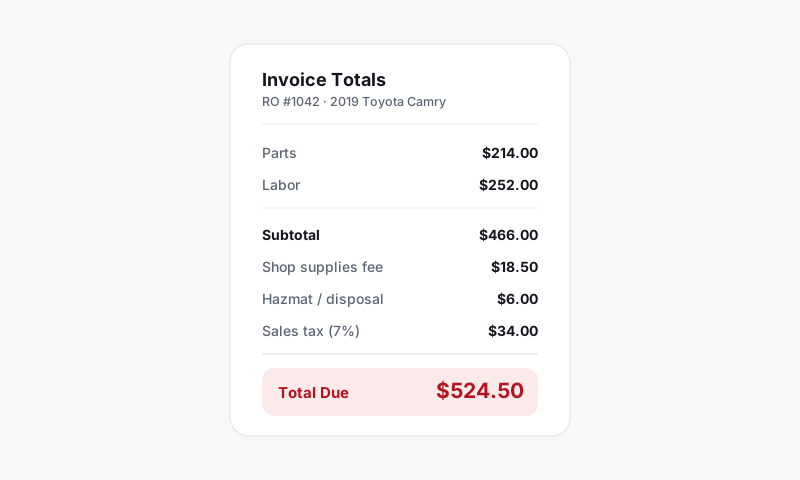
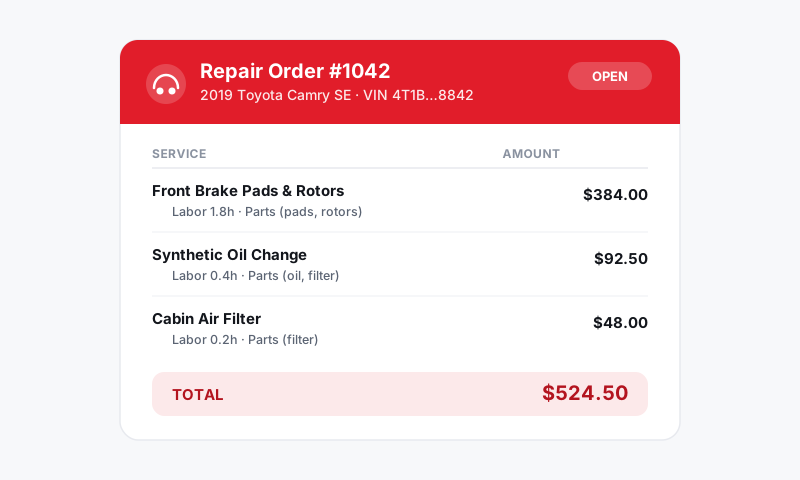
With these flags set, Pista taxes line by line. A repair order with taxable parts and non-taxable labor will show tax on the parts subtotal only, and the labor flows through untaxed. The summary panel always reflects your current switches, so you can spot-check a ticket in seconds.
Good to know: Changing a taxable switch affects new and recalculated repair orders going forward. It does not silently rewrite invoices you already finalized and collected on. If you need to fix a closed RO, reopen it so the totals recompute.
Tips
- Match your filings, not your gut. The right answer is whatever your state actually requires. If your sales tax return separates taxable from non-taxable sales, set Pista to mirror that split.
- Diagnostics and labor. Where labor is taxable, diagnostic labor is usually taxable too. Pista treats diagnostic time as labor, so it follows your Tax labor switch.
- Test before you trust. After changing a switch, write a quick throwaway estimate with one part and one labor line and confirm the tax line matches your expectation. Delete it when you are done.
What is next
Decide how fees behave in Setting up shop fees and Tax on fees. If a specific customer is tax-exempt, see Handling tax-exempt customers.
Still have a question about configuring what is taxable (parts, labor, fees)?
Contact support