FAQs and Troubleshooting
A customer can't open or pay an estimate
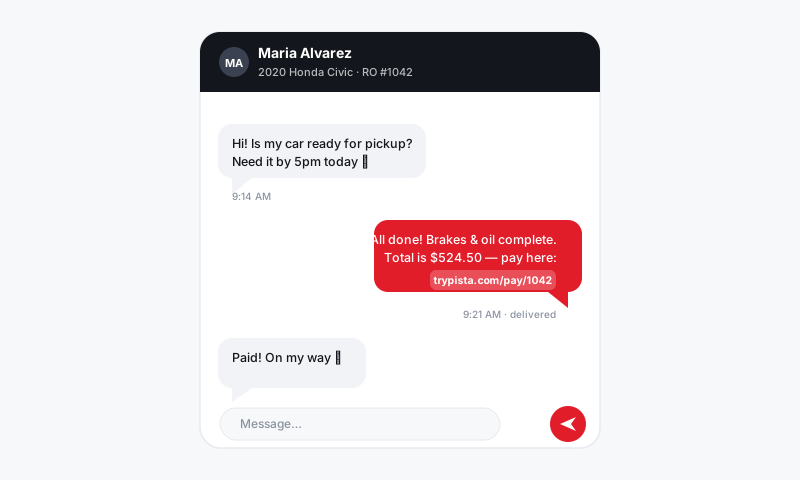
Troubleshoot when a customer says the estimate or payment link you texted them won't open or won't go through.
A customer can't open or pay an estimate
You sent an approval or payment link and the customer says "it won't open" or "my card got declined." Before you assume anything is broken on your end, walk these checks. The fix is usually on the customer's phone, the card, or simply which link they tapped.
They can't open the link
- Confirm you sent it to the right number or email. Check the contact on the RO against what the customer is telling you.
- Ask them to tap the most recent link. If you resent it, an older link in the thread may point at a stale version.
- Have them open it in their phone's normal browser rather than an in-app preview, which sometimes blocks the page.
- If it still won't load, resend a fresh link from the Messaging inbox.
Tip: Old links can expire or get superseded when you edit the estimate. When in doubt, edit nothing, click resend, and have the customer use the newest message.
They opened it but can't approve
- Make sure the estimate is actually sent for approval, not still sitting in draft on your side.
- Confirm there is something to approve. An estimate with no priced lines gives the customer nothing to tap.
- If they approved part of the work, check the RO; partial approvals show which lines they greenlit so you can start what's authorized.
The payment won't go through
- Have the customer confirm the card details and billing ZIP match their statement. A ZIP mismatch is the most common decline.
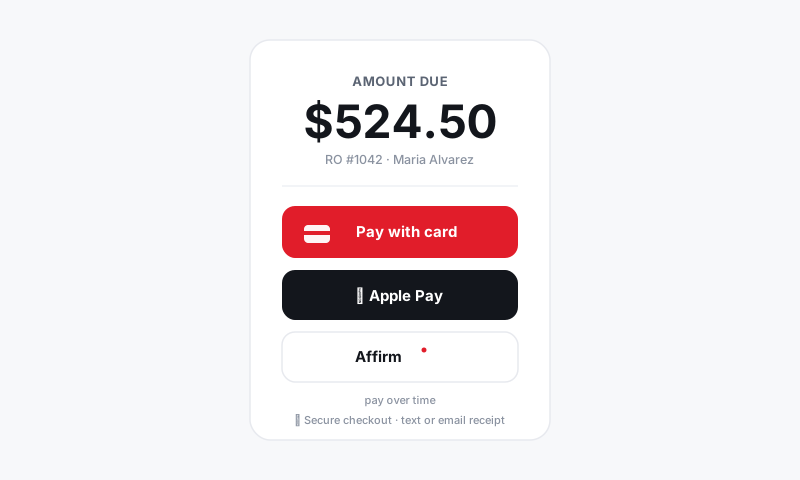
- Ask them to try a different payment method. Pista checkout supports card, Apple Pay, and buy-now-pay-later options, so a declined card isn't a dead end.
- For larger tickets, suggest a buy-now-pay-later option if your shop offers it; the customer applies right from the same screen.
- If a charge looks like it went through twice, check the RO payment history before re-running anything; a pending authorization can look like a charge but settle as one.
They'd rather pay at the counter
No problem. Take the payment in person on the RO and the balance updates the same way. The texted link and the counter are two doors into the same checkout.
Good to know
- The link is always live to the current estimate. Edit the RO, resend, and the customer sees the updated total. No need to start over.
- Declines are usually the bank, not Pista. A ZIP mismatch, a daily limit, or a fraud hold on the customer's card causes most of them. A second method clears it fast.
- Approvals and payments land back on the RO. You don't have to ask "did they pay?" Check the RO status.
Still stuck?
If the customer has tried a fresh link and a second payment method and still can't get through, see Getting more help with the RO number ready.
Still have a question about a customer can't open or pay an estimate?
Contact support