Customers and CRM
Merging duplicate customers
Combine two customer profiles for the same person in Pista so all vehicles, history, and balances live under one clean record.
Merging duplicate customers
Duplicates happen in every shop. A customer gives a different phone number, a name gets spelled two ways, or someone creates a fresh profile instead of searching first. The result is split history: half the visits under one record, half under another. Merging puts everything back under one profile so your history, search, and reports stay honest. This article shows how to spot duplicates and merge them safely.
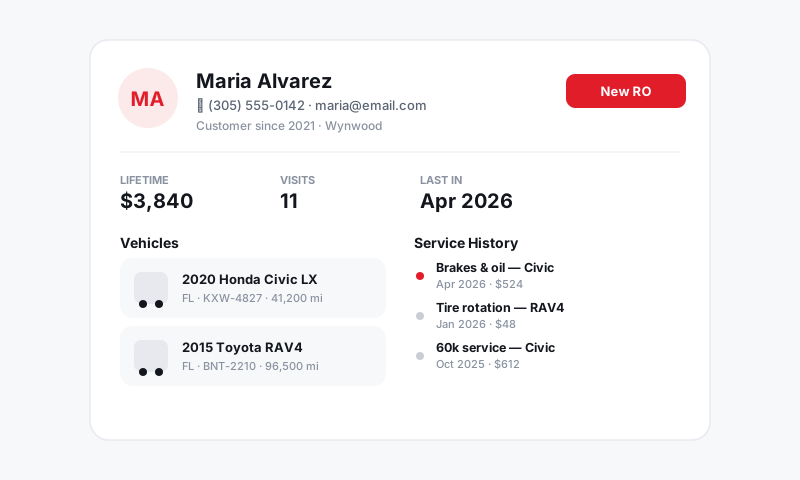
Why you merge instead of delete
Deleting one of the two records throws away the repair orders, vehicles, and recommendations attached to it. Merging keeps all of it. After a merge you have one profile with the complete story, which is exactly what you want at the counter and in your reports.
Good to know: A split profile quietly costs you money. If a customer's brake recommendation lives on the duplicate you never look at, you never follow up on it. Merging surfaces that deferred work again.
Spot the duplicates
A few signs you have a duplicate on your hands:
- The same name appears twice in search with slightly different spelling.
- A customer swears they were in last year, but the profile you opened shows no history.
- The same vehicle or plate shows up under two different owners.
When a search returns two records that look like the same person, that is your cue to merge.
Merge two profiles
- Open the customer you want to keep, which is usually the one with more complete or more recent info.
- Choose Merge customer.
- Search for and select the duplicate profile to merge into it.
- Review the combined details: confirm the right name, phone, and email survive on the kept profile.
- Confirm the merge.
Pista moves all vehicles, service history, declined work, and any balances onto the kept profile. The duplicate is folded in, so future searches return one clean record.
Tip: Before you confirm, glance at the contact fields. The merge keeps one set of name, phone, and email, so make sure the surviving values are the current ones. Fix anything stale right after the merge.
After the merge
- All past repair orders now file under one profile and one set of vehicles.
- Marketing and contact preferences consolidate, so you are not texting the same person twice.
- Search returns a single result going forward.
Prevent duplicates in the first place
The best merge is the one you never have to do. Build the habit at the front counter:
- Always search before creating. Phone number first, since it is the most unique. See Finding a customer fast.
- Use a real cell number on every profile so future searches match. See Creating and editing a customer.
- Confirm the spelling of business and last names when you create a record.
A few seconds of searching up front saves you a cleanup later and keeps every customer's history in one place where it belongs.
Still have a question about merging duplicate customers?
Contact support